
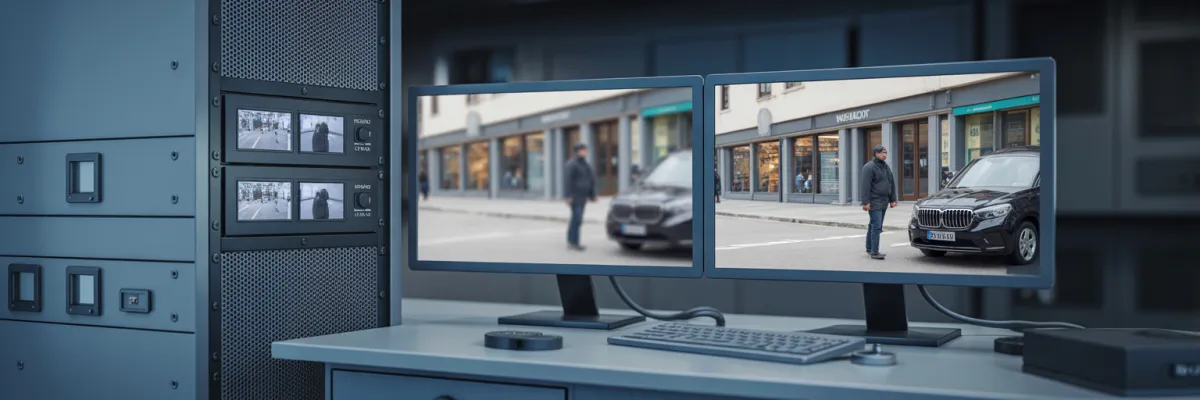
Commercial Video Surveillance Installation Guide 2026
What would you do if a staff member stole thousands in cash over several months — and you had no footage to prove it?
That's not a hypothetical. It's one of the most common calls business owners make after they've already lost money. And the worst part? The commercial video surveillance installation that could've changed everything would've cost less than what was stolen in the first week.
Most business owners don't think about security cameras until after something goes wrong. A break-in after hours. A staff theft they can't prove. An insurance claim they couldn't defend because the footage either didn't exist, had already been overwritten, or was so blurry it was worthless. By then, the damage is done — financially, legally, and operationally.
Whether you're installing cameras for the first time, upgrading an outdated analogue system, or adding coverage to a second site, this guide covers what a commercial-grade system actually includes, how to plan placement and storage for your business type, what QLD compliance requires, and how to choose an installer who won't disappear after the invoice is paid.
What Is Commercial Video Surveillance Installation?
Commercial video surveillance installation is the professional design, supply, and fitting of security camera systems for business premises. Unlike consumer-grade cameras purchased from retail stores, commercial systems are engineered for continuous 24/7 operation, evidential-quality footage, and integration with business networks and alarm systems.
A complete commercial video surveillance installation typically includes:
Site assessment — identifying coverage zones, blind spots, and compliance requirements
Camera selection — choosing the right camera type, resolution, and weatherproofing rating for each location
Network infrastructure — running cabling, configuring NVR/DVR storage, and setting up remote access
System commissioning — testing every camera, configuring motion alerts, and verifying footage quality
Handover and training — making sure the business owner can operate the system independently, without needing to call a technician every time they want to pull footage
What Makes Commercial Video Surveillance Different From Consumer Systems
Here's something that comes up constantly. A business owner gets a quote from a professional installer, sees the price, and thinks — "I could just grab a few cameras from Bunnings and save myself a few grand."
It's a reasonable thought. But it's one that tends to get a lot more expensive down the track. Here's why.
The Hardware Difference
Commercial cameras are built for a completely different operating environment than consumer products.
Consumer cameras are designed for occasional home use. Commercial systems run 24/7 in conditions that would kill an off-the-shelf unit well before its time.
The specifics that matter:
Weatherproofing: Commercial cameras carry IP67+ ratings — sealed against dust and sustained water exposure. Storm season, humidity, and UV intensity are punishing, and consumer cameras aren't rated for it
Resolution: Minimum 4MP for evidential-quality footage. Facial recognition, license plate capture, readable timestamps. Consumer cameras rarely hit this at distance
Recording mode: Commercial systems record continuously. Most consumer cameras are motion-triggered — the seconds before an incident often aren't captured
Brand quality: Commercial installers use Hikvision and Dahua commercial lines — not the retail consumer versions. The internals, firmware, and support are completely different
The Installation Difference
A properly installed commercial system is built around structured cabling — not wireless convenience.
Wireless consumer systems have their place in residential settings. In a commercial environment, they introduce reliability problems, cybersecurity vulnerabilities, and footage gaps you'll only discover when you actually need the footage.
NVR vs cloud-only storage: Cloud-dependent systems rely on an internet connection and an ongoing subscription. A commercial NVR gives you on-site storage, full retention control, and footage accessible even when the internet goes down
Network segmentation: Your camera network should be configured separately from your business network — protecting operational data and reducing cybersecurity exposure
QBCC licensing: Electrical and data cabling in Queensland must be done by a licensed contractor. Unlicensed work creates liability for you as the business owner, not just the installer
The Support Difference
When a consumer camera fails, you're on your own. When a commercial system has an issue, you have a local support process.
This is where the "cheap upfront" logic tends to fall apart. A consumer camera that fails after a year costs you the hardware, the labor to replace it, and any footage gap during the failure. An offshore support line can't dispatch a technician when your system goes offline before a compliance inspection. And footage that fails the police or insurance evidence threshold means the camera might as well not have been there.
The difference isn't just technical. It's whether you have usable footage when you actually need it — and that's the only thing that matters.

How to Plan Your Commercial Video Surveillance Installation
Getting the camera placement right is where most installations either succeed or fail. You can have the best equipment in the world and still end up with a system full of blind spots if the planning stage is rushed or skipped entirely.
Starting With a Site Assessment
A professional site assessment is the foundation of every good commercial installation and skipping it is the single most common reason systems underperform.
A proper assessment covers:
Every entry and exit point, including loading docks, fire exits, and vehicle access
Existing lighting conditions and where additional lighting may be needed for after-hours coverage
Cable routing options — wall cavities, conduit runs, ceiling access to minimize disruption
Compliance-specific coverage zones for regulated industries
Environmental factors: direct sun exposure, humidity, extreme heat zones, vibration from machinery
The most common outcomes of self-planned installations are cameras pointed at ceilings, blind spots at entry points, and footage of people's backs rather than their faces. None of that is useful to police, insurers, or an employment tribunal.
Camera Placement by Business Type
Different business types have different risk profiles — and your camera positions should reflect that.
Retail stores: Entry and exit points, POS counters angled to capture both the transaction and the customer's face, stockroom entry, and car park. Many insurance policies require documented camera coverage for stock theft claims.
Warehouses and industrial premises: Perimeter fence line, loading docks, internal racking aisles, vehicle yard, and site office. After-hours theft typically targets tools, fuel, copper, and high-value freight — perimeter detection is your first line of defense.
Hospitality venues: Front entry, bar service area, gaming room if applicable, loading dock, and car park. QLD Liquor Act requirements mandate specific coverage zones — an incorrectly positioned camera can create a compliance breach even if the system is otherwise functional.
Healthcare and childcare: Entry and exit, reception, outdoor play areas, and car park. Privacy placement rules apply — treatment rooms and rest areas require explicit consent provisions.
Construction sites: Perimeter, site office, materials storage, and vehicle access. Temporary solar-powered solutions are available for active sites where permanent cabling isn't practical.
Choosing the Right Camera for Each Location
Fixed dome cameras: Best for indoor areas with defined coverage zones — reception, corridors, retail floors. Discreet, tamper-resistant, and suited to continuous monitoring
Bullet cameras: Better for outdoor long-range coverage — perimeter fence lines, car parks, entry roads. More visible, which has a deterrence value in itself
PTZ cameras: The right choice for large open warehouse floors and vehicle yards where a fixed camera can't cover the full area
ANPR cameras: Installed at vehicle entry and exit points — captures and logs every plate number, invaluable for logistics operations and construction sites
Low-light and IR cameras: For after-hours coverage in areas without external lighting. Infrared illumination provides clear footage in complete darkness
Storage, Retention, and Remote Access
The camera captures the footage. The storage determines whether you can actually use it.
For any new commercial installation in 2026, NVR is the standard. NVR works with IP cameras over a network connection, supports higher resolutions, and allows for more flexible configuration and expansion. DVR is the older analogue standard functional for upgrading existing systems, but not the right choice for a new build.
Retention periods matter. QLD liquor licence premises require a minimum of 30 days under the Liquor Act. Childcare centres have ACECQA obligations that must be configured correctly at the NVR level. For general commercial purposes, 30 days is the practical standard for insurance and incident response.
For remote access, the standard is a clean iOS and Android app for live view, playback, and footage export. Ask to see it working before you sign off. A hybrid approach on-site NVR with cloud backup for critical cameras gives you local access that doesn't depend on connectivity, plus offsite redundancy.
Queensland Compliance Requirements for Commercial Video Surveillance
This is the section most commercial CCTV installers don't cover and that's exactly why it matters. If your business operates in a regulated industry, compliance isn't optional and it isn't something you can retrofit after an inspection.
QLD Liquor Act CCTV Requirements
If you hold a liquor licence in Queensland, your CCTV system is a legal obligation not a business decision.
Under the Liquor Act 1992 (QLD), certain licensed premises are required to maintain a commercial video surveillance installation that meets specific technical and operational standards. This applies to hotels, bars, nightclubs, and licensed restaurants in designated areas.
What the Act requires:
Mandatory coverage zones: Entry and exit points, bar service areas, gaming rooms where applicable, and associated car parks
Minimum resolution: Footage must identify individuals low-resolution analogue systems don't meet this standard
Retention period: Minimum 30 days footage retention required
Operational status: Cameras offline or producing degraded footage during an inspection are treated the same as no cameras at all
Documentation: You must demonstrate your system meets requirements — camera positions, resolution specs, and retention configuration
ACECQA CCTV Requirements for Childcare Centres
Childcare operators face some of the most specific CCTV compliance obligations of any business type.
Under the National Law and National Regulations administered by ACECQA, childcare centres have surveillance obligations that go beyond general commercial standards.
Key requirements:
Required coverage areas: Entry and exit points, outdoor play areas, and transition areas. Nap rooms and change areas have specific consent and placement provisions
Footage retention: Minimum retention periods must be configured at the NVR level not just assumed
Privacy: Parents and guardians must be notified of camera placement as part of enrolment documentation
Placement precision: An incorrectly placed camera even one marginally outside the compliant zone can constitute a compliance breach. Close enough isn't good enough here
Workplace Health & Safety and Privacy Obligations
CCTV footage is the primary mechanism for documenting workplace incidents and Queensland law sets clear rules around how surveillance must be conducted.
Staff notification: Employees must be notified that surveillance is in operation. This must be documented verbal notification alone isn't sufficient
Signage: Visible CCTV signage is a legal requirement and must be positioned so it's visible to anyone entering the surveilled area
Prohibited areas: Toilets, change rooms, and private areas are off-limits regardless of business context — cameras in these areas create serious legal liability

What It Comes Down To
Commercial video surveillance installation isn't a purchase most business owners make twice. You get it right the first time, or you find out what it cost you to get it wrong.
The business owners who call us after a break-in, a staff theft, or a failed compliance inspection all have one thing in common — they had a system that looked like it was working until the moment they actually needed it. Cameras that couldn't identify a face. Footage that had already been overwritten. Equipment that had quietly degraded in the weather and nobody noticed.
A properly installed commercial system doesn't need to be thought about. It runs continuously, it stores footage for the right retention period, it works on your phone from anywhere, and when something happens — and eventually something always does — the footage is there, it's clear, and it's usable.
That's the standard. That's what a professional commercial video surveillance installation delivers. And it's the difference between having evidence when you need it and explaining to your insurer why you don't.
If you're comparing installers, use the questions in this guide. Check the QBCC licence. Ask to see the itemised quote before you commit to anything. The right installer will answer every question without hesitation — because they've done this before and they know what good looks like.

