
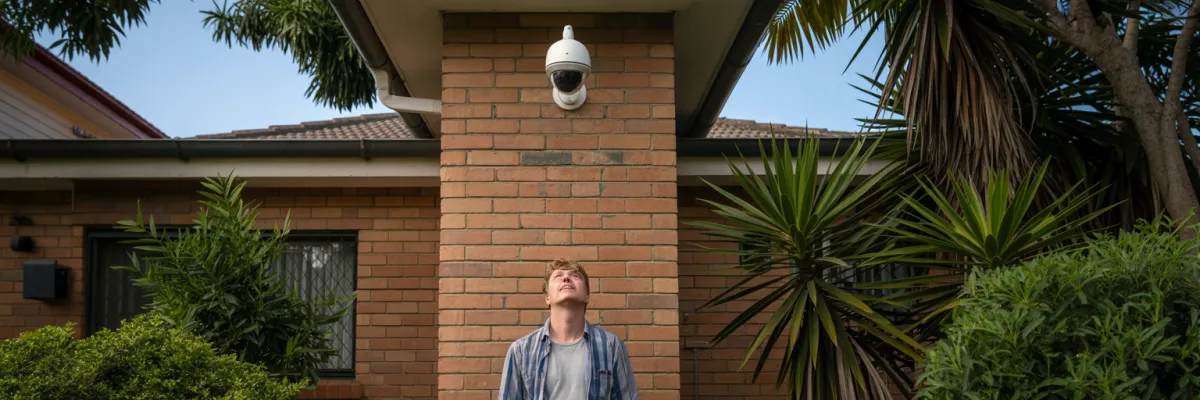
7 Residential Camera Network Installation Secrets Brisbane Professionals Don't Want You to Know
Sarah from Kenmore thought her 4-camera system would protect her home. Then someone broke into her garage at 2am—and not a single camera caught it. Why? Her residential camera network installation missed three angles that professionals always cover.
Most Brisbane homeowners make the same mistake. They focus on buying quality cameras but completely overlook the strategic planning that makes a residential camera network installation actually work. The result? Expensive equipment creating false security while your property stays vulnerable.
After installing residential camera network systems in 847+ Brisbane homes, we've identified 7 secrets that separate effective installations from expensive failures. In this guide, you'll discover exactly where cameras should go, how to eliminate blind spots, and the planning mistakes that compromise 60% of DIY installations.
Where Should Security Cameras Be Placed on a House?
Where should security cameras be placed on a house? Security cameras should be strategically placed at all primary entry points and vulnerable areas of your residential camera network installation:
Essential camera locations include:
Front door – Captures 34% of break-in attempts and package deliveries
Back door – Where 22% of burglars enter, often hidden from street view
Driveway – Monitors vehicles and approach paths to your home
Side gates – Prevents access to backyard and utility areas
Ground floor windows – Particularly those hidden by landscaping or fencing
Garage doors – Protects vehicles and expensive tools/equipment

SECRET #1: The "Fatal Four" Blind Spots Every DIY Installation Creates
Here's what nobody tells you about residential camera network installation: 60% of DIY setups have predictable blind spots that criminals actively look for and exploit.
The Carindale break-in from last year is the perfect example. The homeowner had 5 cameras covering what he thought was every angle. But the burglar walked right up to the side gate, pried it open, accessed the backyard, and forced the back door—all without appearing on a single camera.
The Four Blind Spots:
Blind Spot #1: The "Walk-Up Zone" - The 2-3 meter area directly below wall-mounted cameras. Burglars walk directly under your camera and work on your window without ever appearing in frame.
The fix: Overlap your cameras so one camera's "walk-up zone" is covered by another camera's field of view.
Blind Spot #2: Side Access Gates - Everyone covers the front and back. But that narrow passage along the side of your house? That's where criminals love to operate because it's hidden from street view.
The fix: You need TWO angles on side gates—one capturing the approach path and one capturing the gate itself.
Blind Spot #3: Rear Corner "Dead Zones" - Your backyard corners where fence lines meet create natural blind spots. Criminals use these to hop the fence and stay hidden.
The fix: Install cameras at opposing corners creating X-pattern coverage across your backyard.
Blind Spot #4: Landscaping Shadows - That camera you positioned perfectly in March might be completely obscured by foliage growth by October. Criminals use your garden as cover.
The fix: Plan your residential camera network installation around mature plant growth, not current growth. Schedule annual trimming near camera zones.
SECRET #2: The "Overlap Rule" Professional Installers Use for Complete Coverage
Professional installers use what we call the 20-30% overlap rule. This means roughly 20-30% of each camera's field of view should overlap with at least one other camera's coverage area.
Why does this matter? First, it eliminates those blind spots. When Camera A's vulnerable "walk-up zone" is covered by Camera B's field of view, you've closed a gap criminals look for.
Second, it creates redundancy. The Chen family in Springfield Lakes had 6 cameras with perfect overlap coverage. During a storm, one camera got hit by a branch and stopped working. Because of the overlap strategy, that entire area was still covered by two other cameras.
The Coverage Formula
For a standard Brisbane suburban home (3-4 bedroom, 600-800sqm block), you typically need 6-8 cameras for complete residential camera network installation coverage.
Must-have camera locations:
Front door/porch (34% of break-ins)
Back door (22% of break-in attempts)
Driveway (vehicle monitoring, approach path)
Side gates (prevents backyard access)
SECRET #3: Why Night Vision Distance Matters More Than 4K Resolution
Here's something that's gonna save you from making an expensive mistake: stop obsessing over resolution and start paying attention to night vision range. 80% of property crimes in Brisbane happen between 10pm and 6am.
That expensive 4K camera that captures stunning detail during the day? At night, if it can't see past 10 meters, it's basically useless.
Mark from The Gap spent $3,200 on a premium 4K system. Someone broke into his shed at 1am. The burglar was 12 meters from the camera. Mark's fancy 4K system had only 8-meter night vision capability. Result? Barely visible shadows.
Compare that to the Anderson family in Carindale. They went with 1080p cameras but 20-meter infrared range. When someone tried their back gate at 2:30am, they captured crystal-clear footage at 15 meters distance. Police identified the guy within 48 hours.
What Actually Matters for Brisbane
Professional-grade cameras have 20-30 IR LEDs with 15-25 meter range. That's the difference between capturing someone at your fence line versus only seeing them once they're at your door.
The sweet spot? 2K resolution (2560x1440) with 15+ meter IR distance. You get plenty of detail for identification without sacrificing night vision performance.
SECRET #4: The Brisbane Weather Factor Most Interstate Installers Ignore
Interstate installers come up here from Melbourne or Sydney and act surprised when everything falls apart after one Brisbane summer. Meanwhile, homeowners deal with corroded connections, moisture-damaged cameras, and equipment that stops working.
Lisa Chen had a residential camera network installation done in 2023 by a Melbourne company. After one Brisbane summer: 3 cameras failed from moisture, 2 had corroded connections, 1 stopped working entirely.
When we replaced Lisa's system, we used IP66-rated equipment with marine-grade connections and UV-resistant cabling specifically designed for Queensland conditions. Two years later—including the 2025 flood season—all eight cameras are still functioning perfectly.
IP65 vs IP66: Why It Matters
Most consumer cameras are IP65 rated. That's designed for normal rain falling downward. Brisbane doesn't have "typical conditions." We have:
Horizontal rain driven by 50km/h+ winds
Extended 85%+ humidity creating condensation in cable connections
Intense UV exposure degrading seals faster
Temperature cycling from 35°C days to 22°C nights
IP66-rated equipment provides protection against powerful water jets and heavy seas. That's the level you need for Brisbane residential camera network installation.

SECRET #5: The Mobile Access Setup That 90% of DIY Installations Get Wrong
You've spent money on cameras. They're recording beautifully. You can see them on your phone at home. Then you go to work and try to check if the kids got home safely. The app won't connect.
This is the single most common complaint from DIY installations. Your residential camera network installation works perfectly at home but won't connect when you're away.
The Problem
When you're at home, your phone and cameras are on the same WiFi network. They talk directly—no internet required. But when you leave, your phone needs to connect through the internet, requiring proper network configuration that most DIY installations skip.
The Taylor family in Coorparoo went to Noosa for a week. Rebecca couldn't connect to check their cameras the entire holiday. They spent their vacation anxious. When they got back, we fixed their setup in 45 minutes.
The Solution
Professional residential camera network installation includes proper network configuration OR cloud access setup. We test remote access before we leave—on both WiFi and mobile data.
SECRET #6: Power and Cabling Decisions That Make or Break Your Installation
Wireless cameras aren't actually wireless. They're battery-powered (climbing ladders every 2-4 months to recharge) or "wireless" via WiFi but still plugged into power outlets.
The Williams family in Aspley went full wireless. Eight cameras meant eight batteries to manage. Battery charging became a weekly chore. Six months in, they called us to convert to hardwired Power over Ethernet. "I spend more time managing batteries than I ever would have spent managing cables," Mr. Williams said.
Power Options: The Real Comparison
Why PoE Wins
Power over Ethernet runs a single network cable from your recorder to each camera. That cable carries both data and power. No batteries. No WiFi congestion. Your cameras are powered 24/7 with stable power.
The downside? More installation work upfront. But you only do that work once, then you're done for 8-10 years.
Compare that to wireless cameras where you're doing maintenance every few months forever.
SECRET #7: The Recording and Storage Strategy That Saves Investigations
James from Aspley discovered his shed break-in on Saturday morning. His system kept 7 days of recordings. The break-in happened Tuesday—4 days ago. Plenty of time, right?
Wrong. Police found evidence the initial break-in happened the previous weekend—8-9 days earlier. All that footage? Overwritten. Gone. The cameras recorded everything perfectly, but storage settings deleted the evidence.
Police couldn't use the footage. Insurance had nothing. The thieves were never caught. That's a $3,500 lesson about storage strategy.
Why 30 Days Minimum
The average homeowner takes 3-7 days to discover a break-in if it happens while away or in a garage/shed. Professional residential camera network installation recommends 30 days minimum storage for:
Extended holidays (away 10-14 days)
Delayed discovery (don't notice immediately)
Investigation time (police need time to review)
Insurance processing (claims take 1-2 weeks)
The extra storage capacity costs $100-200 more in equipment. But it's the difference between having evidence and losing everything.

Conclusion: Your Next Steps to Complete Protection
You now know the seven residential camera network installation secrets that separate systems that actually protect your Brisbane home from expensive equipment that just looks impressive:
The Fatal Four blind spots and how professional overlap eliminates them
The 20-30% overlap rule ensuring complete coverage with redundancy
Why night vision distance matters more than 4K resolution
Brisbane weather factors that destroy improperly installed systems
Mobile access configuration most DIY installations get wrong
Power and cabling decisions determining long-term reliability
Storage strategies ensuring evidence exists when needed
Sarah from Kenmore called us after her system failed to catch her garage break-in. We redesigned her residential camera network installation using these secrets. Three months later, someone attempted another break-in. This time, four camera angles captured clear facial identification. Police arrested the suspect within 36 hours.
"I finally sleep through the night," she told us. "Not because I think nothing will happen—but because I know if something does happen, I'll have the evidence."
Ready to Stop Worrying?
You've done the research. You understand what proper residential camera network installation requires.
Now it's decision time.
Brisbane burglars aren't waiting. They're looking for opportunities right now—homes without proper security, properties with blind spots, families who meant to install cameras but haven't.
Your family deserves to feel safe. Your property deserves protection that actually works. You deserve peace of mind.
The question isn't whether you need proper residential camera network installation. The question is: how much longer are you willing to wait?
Book your free assessment today. Sleep peacefully tonight.

