
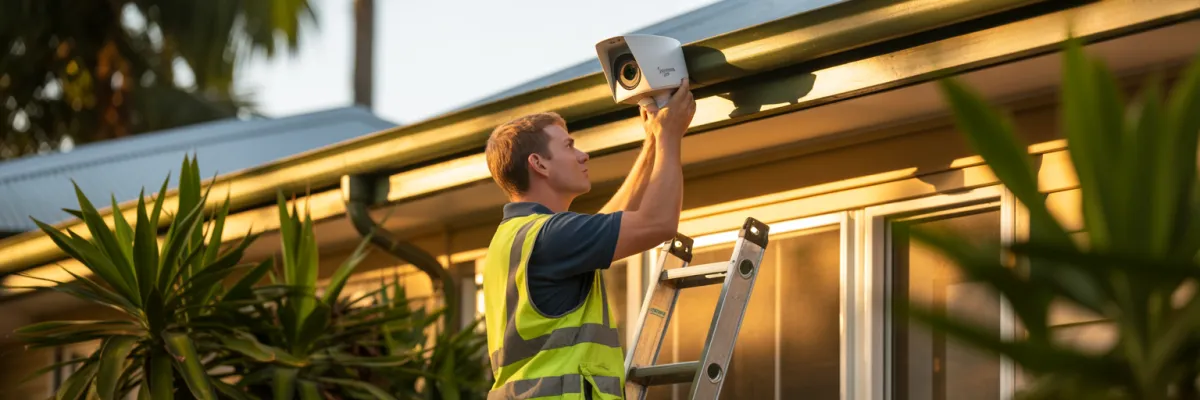
Best Home Awareness Camera Installation Methods for Brisbane Homes
Sarah from Kenmore installed DIY cameras from Bunnings last year. Cost her about $1,400 all up, and she felt pretty good about saving money. Then at 3am on a Tuesday, someone tried her back door. The camera that was supposed to be watching? Offline. Battery had died three days earlier and she didn't even know. No footage, no proof, no peace of mind.
Three weeks later, she called us. We installed a proper professional system, and now she actually sleeps through the night.
Here's what most Brisbane families don't realize about home awareness camera installation - it's not just about sticking cameras on walls. It's about strategic placement that covers your actual vulnerable points. It's about reliable connectivity that works when Brisbane's humidity hits 80% or when summer temps crack 38 degrees. It's about ensuring your system actually functions during those wild November storms, not just on sunny Tuesday afternoons when you're testing it.
In this guide, we'll walk you through the seven best home awareness camera installation methods actually being used by Brisbane families right now, compare professional versus DIY approaches, and reveal common mistakes that leave homes with expensive blind spots.
What's the Best Way to Install Security Cameras at Home?
The best way to install security cameras at home is through professional installation that ensures proper placement, reliable connectivity, and weather resistance for Brisbane's climate.
The 5 Key Steps:
Strategic placement assessment - Identify vulnerable entry points like back doors, side gates, and windows that burglars actually target
Power and connectivity planning - Hardwired PoE for reliability, or quality WiFi mesh for wireless
Weather-resistant mounting - IP66+ rated brackets that handle Brisbane's humidity, storms, and 38-degree summer days
Optimal camera angles - Position 2-3 meters high, angled 15-30 degrees downward for facial recognition
Network configuration - Strong passwords, encryption, verified mobile access
DIY installations fail 47% of the time within the first year. Blind spots, connectivity dropouts, cameras that quit during storms - exactly when you need them working.

The 7 Best Home Awareness Camera Installation Methods
Method 1: Professional Hardwired PoE Installation ⭐ RECOMMENDED
Best for: Families staying long-term who want maximum reliability
Power over Ethernet means each camera gets both power and data through a single cable running to a central recorder. No batteries, no WiFi dependency, just reliable footage 24/7.
Pros:
Most reliable - nothing depends on WiFi or batteries
Best video quality
Works during internet outages
Handles Brisbane storms perfectly
5-7 year camera lifespan
Cons:
More involved installation
Requires professional installation
Brisbane suitability: ⭐⭐⭐⭐⭐ Completely storm-proof, handles humidity perfectly
Method 2: Professional Wireless with WiFi Mesh
Best for: Newer homes with excellent WiFi, less invasive installation
Professional wireless cameras connect to a mesh WiFi system. Power from outlets or solar panels. Footage uploads to cloud or local wireless recorder.
Pros:
Less invasive installation
Easier to relocate cameras
Lower cost than hardwired ($2,800-4,200)
Modern mesh WiFi is reliable
Cons:
WiFi dependent
Battery maintenance every 2-4 months
Vulnerable to interference
Brisbane suitability: ⭐⭐⭐⭐ Very good with quality mesh system
Method 3: Hybrid System (Wired + Wireless)
Best for: Balancing reliability with flexibility
Critical cameras (front door, back door, driveway) hardwired. Supplementary cameras (side gates, garage) wireless. All integrate into one system.
Pros:
Critical coverage bulletproof reliable
Flexibility for difficult areas
Cost-effective compromise ($3,000-4,500)
Scalable system
Cons:
Mixed maintenance requirements
Some WiFi dependency
Brisbane suitability: ⭐⭐⭐⭐⭐ Best of both worlds
Method 4: Solar-Powered Wireless
Best for: Outbuildings, rental properties, remote areas
Battery-powered cameras topped up by solar panels. No power cables needed. Connects via WiFi.
Pros:
Zero power infrastructure needed
Perfect for sheds, garages, gates
Easy to relocate ($400-700 per camera)
Cons:
More expensive per camera
Limited to specific locations
Not suitable as primary security
Brisbane suitability: ⭐⭐⭐⭐⭐ Plenty of Queensland sunshine
Method 5: DIY Wireless Installation
Best for: Tech-savvy homeowners, renters, single cameras
You buy cameras from Bunnings or Amazon. Mount them yourself. Set up the app. Hope it works.
Pros:
Portable when moving
No installation appointments
Cons:
47% experience major issues within first year
No professional support
78% have blind spots
20-30 hours of your time
Usually no insurance discounts
Brisbane suitability: ⭐⭐⭐ Consumer cameras struggle with our climate
Is this right for you? If you're not super tech-savvy and your peace of mind depends on reliability - no. Sarah's DIY disaster from the intro? That's typical, not rare.
Method 6: Retrofit Installation
Best for: Expanding existing systems, filling blind spots
Professional assesses your current system, keeps what works, adds new cameras strategically.
Pros:
Uses existing infrastructure
Less expensive than full replacement
Targeted improvements ($800-1,500 per camera)
Cons:
Limited by old system capabilities
Compatibility assessment needed
Brisbane suitability: ⭐⭐⭐⭐ Good if existing foundation is solid
Method 7: Smart Home Integrated
Best for: Tech enthusiasts with existing smart home ecosystems
Cameras integrate with Google Home, Alexa, or Apple HomeKit. Automation possibilities like "If motion at 2am, turn on all lights."
Pros:
Unified control
Voice control available
Powerful automation
Cons:
Depends on platform support
More points of failure
Brisbane suitability: ⭐⭐⭐⭐ Good for tech-forward homes

Critical Installation Mistakes Brisbane Homeowners Make
Making the Right Choice for Your Family
Home awareness camera installation is one of the most important investments Brisbane families can make for peace of mind. The installation method you choose - whether professional hardwired PoE, wireless with mesh WiFi, or a hybrid approach - directly impacts your system's reliability when you need it most.
While DIY options exist, 94% of Brisbane families who choose professional installation report better sleep, increased confidence, and zero regrets about the investment. The difference between proper installation and poor installation isn't just technical - it's the difference between real security and false confidence.
Brisbane's climate demands professional-grade equipment and expert installation. From summer heat to storm season humidity, your cameras need to work flawlessly in conditions that cause DIY systems to fail.
Sarah from Kenmore finally sleeps through the night. Jennifer from Chapel Hill caught package thieves on camera. Paula from Carindale knows her kids are safe when they get home from school. Your family deserves the same peace of mind.
The question isn't whether you need home awareness camera installation - it's whether you'll choose an installation method that actually protects your family when it matters most.

