
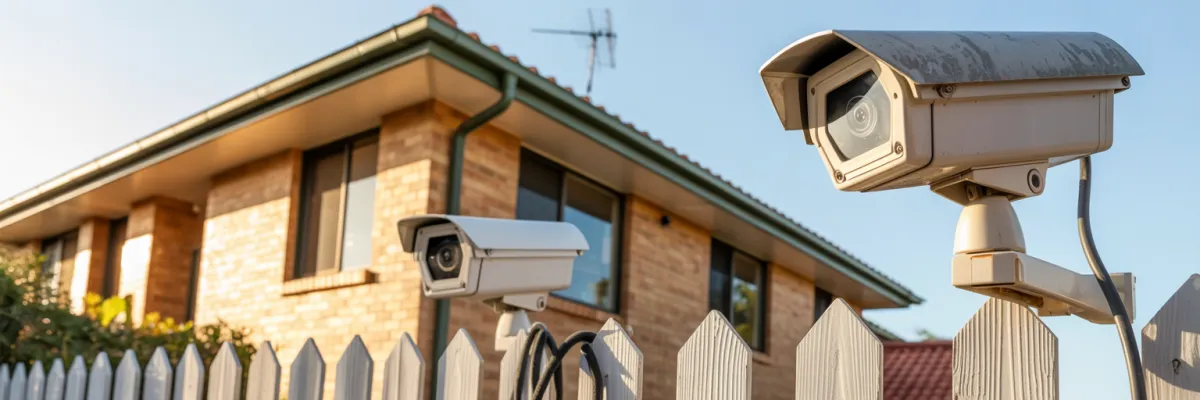
10 Common Mistakes in Home CCTV Installation That Brisbane Homeowners Make
Did you know that 73% of home security system failures in Brisbane are caused by installation errors rather than equipment malfunctions?
Last month, I met Sarah from Carindale at her kitchen table. She was showing me grainy footage from her "professionally installed" cameras – footage so poor you couldn't make out faces, let alone identify someone who'd been lurking around her backyard. She'd paid $2,800 for what she thought was peace of mind, but instead got a false sense of security that nearly cost her family their safety.
You've finally decided to protect your Brisbane home with a CCTV system – a smart investment considering property crime rates in South East Queensland have increased by 12% over the past two years. But before you rush into installation, whether DIY or hiring the wrong installer, there are critical mistakes that could leave your family vulnerable and your investment worthless.
In this guide, I'll walk you through the 10 most common CCTV installation mistakes I see plaguing Brisbane homes from Logan to Redlands. Whether you're planning a DIY installation or hiring someone else, by the end of this article, you'll know exactly what questions to ask and what standards to demand. Your family's safety depends on getting this right the first time.
The Cost of Getting It Wrong
The numbers don't lie. According to Queensland Police Service data, residential break-ins across Brisbane's outer suburbs have jumped 18% since 2023. What's even more concerning? In 64% of successful break-ins where homes had security cameras, the footage was either too poor quality to identify perpetrators or the cameras weren't positioned to capture the actual entry points.
The average break-in costs Brisbane families $4,200 in immediate losses, plus insurance deductibles, replacement security systems, and time off work. The Johnson family from Aspley learned this when their $1,800 DIY system failed to capture clear footage of their break-in. The insurance company disputed their claim, and they ended up paying $6,300 out of pocket – more than triple what a professional installation would have cost.

Mistake #1: Poor Camera Placement and Positioning
This is the big one. The mistake that turns a $3,000 security system into expensive yard decoration.
Walk around any Brisbane suburb and you'll spot the telltale signs of poor camera placement. Cameras mounted too high, pointing at the sky. Cameras positioned to watch driveways but missing side gates. The Williams family from Redlands thought their four-camera system had them covered until someone broke in through their side gate at 2 PM. None of their cameras caught it because all four were focused on the front door and driveway.
Side passages between houses (especially older Chermside and Aspley homes)
Areas blocked by established trees or landscaping
Pool areas hidden behind equipment or sheds
Rear lane access points (common in Logan and Ipswich)
Mistake #2: Inadequate Power Supply Planning
Nothing kills a security system faster than power problems. Most Brisbane homes weren't built with security cameras in mind, and the electrical infrastructure from the 1980s and 1990s wasn't designed to handle multiple high-definition cameras running 24/7.
A typical 6-camera system draws 100-120 watts constantly. The Martinez family from Logan learned this when their DIY system worked fine for three weeks, then went down every time their pool pump kicked in. They'd overloaded the circuit and been unprotected for hours at a time without knowing it.
In Queensland, any electrical work connected to your main power supply requires a licensed electrician. Insurance companies are getting stricter about electrical work – if there's a fire or damage related to non-compliant electrical work, your claim could be denied entirely.
Brisbane Storm Season Reality: Between November and March, Brisbane averages 4-6 power outages per suburb. Without backup power, your security system becomes useless exactly when you need it most. Always plan for at least 4 hours of battery backup.
Mistake #3: Ignoring Brisbane's Climate Challenges
Brisbane's humidity is a killer for electronics. We're talking 80-90% humidity for months at a time, plus sudden temperature changes that create condensation inside camera housings. The Thompson family from Aspley found out during last year's January storms when water had been seeping into their cable connections for months, and three of their four cameras went dark during the big storm.
UV Damage Timeline:
6 months: Plastic housings start to fade
12 months: Rubber seals become brittle
18 months: Mounting brackets show stress cracks
24 months: Camera housings may fail completely
Brisbane-Specific Protection:
Use IP66 or IP67 rated cameras minimum
Install protective shades for west-facing cameras
Use stainless steel hardware near the coast
Schedule maintenance before and after storm season

Mistake #4: Choosing Wrong Camera Types for Specific Areas
The Chen family from Chermside bought indoor cameras online and mounted them under their eaves, thinking roof overhang provided enough protection. After three months, two cameras had completely failed from moisture, and the third was giving such poor image quality it was useless.
Night Vision Reality: Camera manufacturers advertise "see in complete darkness," but in Brisbane's humid air, actual IR range is about 60-70% of stated specifications. The Rodriguez family from Logan could clearly see their front porch but couldn't identify anyone at their front gate because the IR simply didn't reach that far.
Motion Detection vs. Continuous Recording: Motion detection sounds perfect until you realize it creates blind spots. I worked with a Redlands family whose motion-activated cameras missed a break-in because the person moved slowly and deliberately. The motion detection was set conservatively to avoid false alarms, but it was too conservative to catch someone moving carefully.
Mistake #5: Inadequate Network and Storage Planning
The Parker family from Ipswich called frustrated because their cameras kept freezing when they tried to watch them from work. Their internet speed was fine – 50 Mbps download, 20 Mbps upload. But they had 6 cameras running continuously, plus teenagers streaming and gaming. During peak usage, their security system became unreliable exactly when they needed it most.
Bandwidth Reality:
1 HD camera: 2-4 Mbps upload bandwidth
4-camera HD system: 10-16 Mbps total
6-camera HD system: 15-24 Mbps total
Storage Comparison: A local 4TB system costs about $400 upfront and stores 60 days of footage from 6 cameras. Cloud storage for the same coverage costs $30-50 per month. After 12 months, cloud storage has cost more than local storage, and those monthly fees never stop.
Mistake #6: Neglecting Legal and Privacy Compliance
Queensland privacy laws are stricter than most people realize. The Davidson family from Chermside installed cameras to watch their driveway, but the camera angle also captured their neighbor's backyard pool area. What started as a friendly request escalated into a formal complaint, mediation sessions, and eventually a $1,100 fine. They could have avoided it by angling the camera down 15 degrees.
QLD Privacy Rules:
You can record your own property and public areas visible from your property
You cannot record inside neighbor's property or their private outdoor areas
You must display "CCTV in operation" signage at property entry points
Heritage areas may require council approval for visible cameras
Mistake #7: Poor Cable Management and Wiring
The Foster family from Logan called after their DIY system failed during a storm. Their cables were run along the fence line, held up with cable ties. When a branch fell, it pulled down 40 meters of cable and damaged three cameras. Professional installation would have run those cables underground or through conduit.
Professional vs. DIY Wiring:
Professional: Cables through walls/conduits, weatherproofed connections, UV-resistant materials
DIY: Cables zip-tied to gutters, exposed connections, standard cables that crack within 2 years
Poor cable management isn't just ugly – it's a security risk. Visible cables tell criminals exactly where cameras are and create easy sabotage opportunities.
Mistake #8: Inadequate Testing and Commissioning
A security system isn't just individual cameras – it's an integrated system where everything needs to work together. The Martinez family from Ipswich discovered their front door camera was completely washed out by morning sunlight. They'd tested it at 2 PM on Saturday and thought it was perfect, but come Monday morning, they couldn't see anyone approaching due to glare.
What Needs Testing:
Camera image quality at different times of day and seasons
Motion detection sensitivity across various conditions
Recording functionality and storage capacity
Remote access from multiple devices and locations
Backup power systems during outages
Most Brisbane families install their system and forget about it until something goes wrong. Monthly maintenance includes cleaning lenses, checking connections, and testing functionality. Annual maintenance requires professional inspection and firmware updates.
Mistake #9: Choosing Price Over Quality
The Morrison family from Redlands bought a 4-camera system online for $400. Within 6 months, two cameras had failed, one was producing unusable footage, and the fourth only worked intermittently. They spent $1,200 on replacements before buying a professional system for $2,800. Total cost: $4,000 – more than double what a quality system would have cost initially.
5-Year Cost Comparison:
Quality Professional System: $2,800 initial + $1,100 maintenance = $3,900
Cheap DIY System: $400 initial + $800 replacements + $1,500 time + $400 repairs = $3,100
The difference is only $800 over 5 years, but the quality system provides reliable protection while the cheap system provides multiple failures and frustration.

Mistake #10: Skipping Professional Assessment
The Turner family from Logan installed 6 cameras covering every door and window, then someone broke in through their laundry room window – a ground-level window hidden behind shrubs they'd never considered vulnerable. Professional assessment would have identified this blind spot immediately.
Homeowners approach security from inside looking out, but criminals approach from outside looking in. This fundamental difference means DIY assessments miss the vulnerabilities that matter most.
Professional Assessment Includes:
Perimeter analysis of every entry point
Sight line studies from criminal perspectives
Risk assessment for property-specific vulnerabilities
Technology matching for specific needs
Compliance review for legal requirements
How to Avoid These Mistakes
Professional installation prevents all these mistakes through systematic approach and local expertise. When vetting Brisbane security companies, verify:
ASIAL membership and QLD electrical licensing
Local business registration and insurance coverage
Recent customer references in your area
Detailed installation process and testing procedures
Comprehensive warranties and ongoing support
Questions to Ask:
"How do you determine optimal camera placement for our specific property?"
"What backup power solutions do you recommend for Brisbane's storm season?"
"How will you ensure compliance with QLD privacy laws?"
"What ongoing support and maintenance do you provide?"
Professional installations typically cost 20-30% more than DIY initially but save 50-70% over the system's lifetime through correct installation, quality equipment, ongoing support, and warranty coverage.
Your Next Step
These 10 mistakes can turn your security investment into a false sense of security. Professional installation ensures your investment actually delivers the protection your family deserves. When it comes to your family's safety, getting it right the first time isn't just smart – it's the only option that makes sense.
Ready to avoid these costly mistakes? Get your FREE professional Brisbane home security assessment today and discover what real protection looks like. Contact us at +61409809577 or email us: [email protected]

