
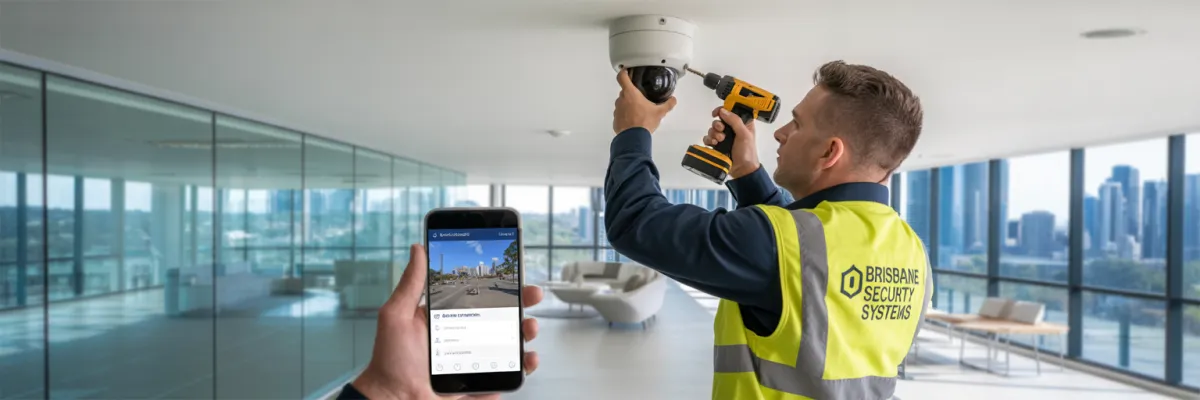
Commercial CCTV Installation with Remote Access for Brisbane Businesses
You know that sinking feeling when you're lying in bed at 2am, wondering if someone's breaking into your business right now? Or when you're on holiday with the family, but can't stop thinking about whether your Chermside store is secure?
Here's something that might surprise you - 73% of Brisbane business owners who've dealt with theft say they wish they'd invested in proper security systems way earlier. Most thought their basic cameras were enough. Until they weren't.
I've been working with Brisbane businesses for over 15 years, and the game has completely changed. Modern commercial CCTV with remote access means you can check on your retail store while at your kid's footy game, monitor multiple locations from home, or get instant alerts the moment something's not right.
How Commercial CCTV Remote Access Actually Works
Internet Protocol (IP) Camera Technology: Think of IP cameras like your smartphone's camera, but built for business. Instead of just taking photos, they constantly record high-quality video and send it over your internet connection. That's what lets you watch your Carindale office while sitting at home in Redcliffe.
Old analog cameras are like flip phones in a smartphone world - they record to a box in your back room, and that's it. IP cameras connect to your business internet and get their own network address, so when you get an alert about movement in your warehouse loading dock, you know exactly where to look.
Storage Options: You've got two main choices:
Network Video Recorders (NVRs) sit on your premises - like a smart hard drive managing all cameras. Video stays on-site, which some Brisbane businesses prefer for privacy. Plus, if internet goes down, cameras keep recording.
Cloud storage sends video to secure off-site servers. Even if someone destroys your business, footage is safe in the cloud and accessible anywhere with internet.
Most clients use a hybrid approach - local storage for immediate access and cloud backup for critical footage.
Mobile Access: Every decent system comes with a mobile app. Download it, log in, and you can watch live footage from all cameras, get instant motion alerts, review recorded footage from days or weeks ago, control camera features remotely, and share footage directly with police or insurance.
I had one client with three Brisbane cafes who caught an employee stealing using his phone while at his daughter's wedding. Not ideal wedding entertainment, but it saved him thousands.
Bandwidth Requirements: Brisbane's NBN infrastructure handles this well, but you need adequate upload speeds:
Business Size
Modern systems adjust quality based on connection speed and prioritize important cameras.

Essential Features That Actually Matter
High-Definition Video and Night Vision: If your footage looks like it was shot through a dirty window in 1995, it's useless. You need:
1080p HD minimum - anything less wastes money
4K cameras for critical areas like registers and main entrances
Proper night vision with infrared illumination for 20-30 meters in darkness
Brisbane's humidity and temperature changes fog cheap lenses. Professional cameras have anti-condensation features and weatherproof ratings that work in our conditions.
Smart Motion Detection and Alerts: Modern systems distinguish between people, vehicles, and cats. Set specific zones - alerts when someone enters your loading dock after 6pm, but ignore movement in staff parking.
Key alert types:
Perimeter breach
Loitering detection
Camera tampering
System failures
Customization is crucial - a busy shopping center needs different settings than a quiet medical practice.
Multi-User Access Controls: Set different permission levels:
Owner/Manager: Full access to everything
Supervisor: View cameras and some recordings, no settings changes
Staff: Maybe live viewing of public areas only
You can also restrict access by time - evening supervisors only access cameras during their shifts.
Backup Power and Connectivity: Brisbane storms cause outages. Professional systems include:
UPS keeps cameras running for hours during blackouts
4G backup switches automatically if internet fails
Local storage continues recording when everything else fails
Benefits for Different Brisbane Industries
Retail and Loss Prevention: Remote monitoring transforms retail security. Customer theft drops when potential shoplifters know someone might be watching. I worked with a Carindale clothing store - after installation, theft dropped 85% within three months just because word spread they were actively monitored.
For staff monitoring, be upfront about it. Put up signs, include it in contracts, focus on protecting the business rather than micromanaging.
Construction Sites: Mobile camera units move between sites as work progresses. Solar power works great without electrical connections, and 4G provides connectivity in remote outer Brisbane locations. Beyond security, you can check work progress without driving to every site and document safety compliance.
Warehouses and Distribution: Large facilities need sophisticated solutions for inventory shrinkage, loading dock security, and perimeter protection. One Brisbane logistics company tracked their inventory problem to a specific dock and shift - a delivery driver working with an inside employee. Problem solved, goods recovered.
Professional Offices: Law firms, medical practices, and accountants need to protect confidential information and ensure after-hours staff safety. Remote monitoring provides liability protection too - I worked with a Brisbane medical practice where someone claimed they slipped in the waiting room. Footage showed them deliberately falling and looking around first. Case closed.
Choosing the Right Brisbane Installer
What to Look For
Local presence: Years serving Brisbane businesses, not someone from interstate
Proper licensing: Queensland security installer licenses and comprehensive insurance
Industry certifications: Manufacturer certifications from Hikvision, Dahua, or Axis
Similar business references: Ask for references from businesses like yours
Red Flags to Avoid
Pressure to sign immediately
No local office or workshop
Vague warranties or maintenance terms
Asking for large upfront payments
Installation Process and Timeline
Initial Assessment (Week 1): Proper site assessment takes 2-4 hours and includes walking through your property, testing internet speeds, checking power availability, and discussing specific security concerns. Anyone in and out in 30 minutes isn't doing it properly.
Professional Installation
Small retail (4-8 cameras): 1-2 days
Medium warehouse (8-15 cameras): 2-3 days
Large facility (15+ cameras): 3-5 days
Professional installation means proper cable management, Brisbane-weather-appropriate weatherproofing, secure network integration, and complete testing before they leave.
Your Step-by-Step Action Plan
Making Your Decision
Look for installers who understand your specific business, provide detailed professional proposals, have solid local references, offer quality equipment with comprehensive service, and feel comfortable for long-term relationships.
Don't overthink it. If someone checks all boxes and you feel confident about their professionalism, move forward.
Advanced Features Worth Considering
Artificial Intelligence and Analytics: Modern systems go way beyond basic motion detection. AI-powered analytics can recognize specific behaviors and situations that matter to your business.
Facial recognition helps identify repeat offenders or VIP customers. People counting provides accurate visitor statistics for retail businesses. Loitering detection alerts you when someone hangs around longer than normal. Vehicle license plate recognition tracks who's coming and going from your premises.
These features sound like science fiction, but they're standard options on quality systems today. A Brisbane shopping center I worked with uses people counting to optimize staff scheduling and facial recognition to identify banned individuals automatically.
Integration with Other Security Systems: Your CCTV system shouldn't exist in isolation. Integration with access control systems means cameras automatically focus on doors when someone badges in after hours. Fire alarm integration ensures cameras capture evacuation procedures and can help identify the source of alarms.
Burglar alarm integration triggers specific camera recording when sensors activate. Point-of-sale integration overlays transaction data on video footage, making it easy to investigate discrepancies or fraudulent transactions.
Audio Recording Capabilities: Adding audio to your security system provides context that video alone can't capture. You'll hear conversations, identify voices, and understand the full situation during incidents.
However, audio recording has strict legal requirements in Queensland. You must display clear signage notifying people that audio is being recorded, and you need to be careful about privacy laws regarding staff conversations. Most businesses use audio recording only in customer-facing areas where privacy expectations are lower.

Legal and Compliance Considerations
Understanding your obligations protects you from legal problems down the track. In Queensland, you must clearly display signs indicating CCTV monitoring is in progress. Signs should be visible at all entry points and in monitored areas.
Privacy Laws and Staff Rights: You can monitor work areas where employees have reduced privacy expectations, but you cannot monitor private areas like bathrooms, changing rooms, or designated break areas. Staff monitoring must be disclosed in employment contracts, and you should have clear policies about how footage will be used.
Employee consultation is smart business practice. Involve staff in system planning and explain how monitoring helps protect everyone - reducing false injury claims, preventing workplace violence, and ensuring a safe working environment.
Data Storage and Access: You're responsible for protecting recorded footage like any other business data. Use strong passwords, limit access to authorized personnel only, and have clear policies about who can view footage and under what circumstances.
Retention periods vary by business type, but 30-90 days is typical for most Brisbane businesses. Some industries require longer retention for compliance reasons. Cloud storage providers handling Australian business data must comply with Australian privacy laws.
Keep detailed logs of who accesses footage and when. This protects you if questions arise about evidence tampering or privacy breaches. Most professional systems automatically log all user access and system changes.
Maintenance and Longevity
A properly maintained CCTV system should provide reliable service for 7-10 years before major upgrades are needed. Individual cameras might need replacement after 5-7 years, especially those exposed to harsh Brisbane weather conditions.
Regular Maintenance Tasks: Quarterly cleaning keeps lenses clear and housing free from spider webs and debris. Our humid climate encourages growth that can block cameras surprisingly quickly. Annual professional servicing includes firmware updates, storage system optimization, and connection testing.
Planning for Technology Evolution: Security technology evolves rapidly. Systems installed with upgrade capacity handle new requirements without complete replacement. Choose systems with expandable storage, additional camera capacity, and software update capabilities.
Cloud-based systems typically receive automatic updates, while local systems need manual firmware updates. Budget for periodic technology refreshes to keep your security capabilities current with emerging threats and opportunities.
Your Next Step Right Now
Pick up your phone and call three Brisbane commercial CCTV installers to schedule site assessments. Don't delay another month because you're "too busy" - security problems don't wait for convenient timing.
If you've made it this far, you know more about commercial CCTV than most business owners ever learn. You're ready for intelligent conversations with installers and good decisions.
The peace of mind from checking your business anytime, anywhere is invaluable. The first time remote monitoring prevents theft or provides insurance evidence, you'll wonder why you waited.
Ready to get started? Contact our team for your free Brisbane commercial CCTV assessment. We'll visit your site, understand your needs, and provide a detailed proposal with no pressure. Call +61409809577 or complete our online assessment form.
Don't let another sleepless night wondering about security be the night something actually happens.

