
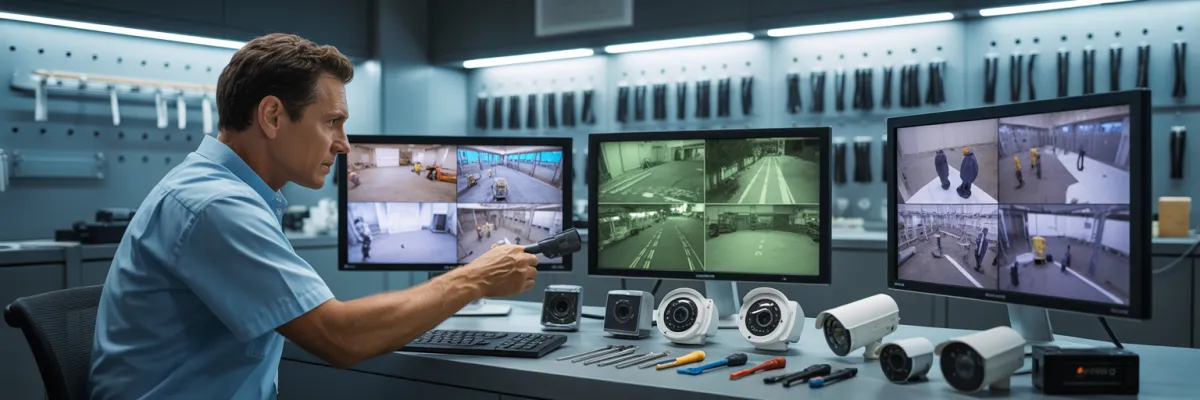
CCTV Footage Quality Considerations: 8 Key Factors
Last month, a family's home was broken into while they were at work. They had security cameras installed—four of them, actually. But when police arrived to review the footage, the resolution was so poor they couldn't identify the intruder's face. The cameras had recorded everything, but the footage was essentially useless.
This scenario happens more often than homeowners realize. Understanding CCTV footage quality considerations isn't just about buying cameras—it's about ensuring your security system actually protects your family when you need it. Poor footage quality means you can't identify faces, read license plates, or provide useful evidence to police or insurance companies.
In this guide, you'll discover the 8 critical factors that determine whether your CCTV footage will be crystal clear or frustratingly useless. We'll cut through the technical jargon and show you exactly what matters for making informed decisions that actually keep your family safe.
What Makes CCTV Footage Good Quality?
Good quality CCTV footage depends on eight factors working together. High-resolution cameras form the foundation, but resolution alone isn't gonna cut it. You could have the fanciest camera, but if your frame rate's too low, lighting's terrible, or compression settings are wrong, you're still gonna end up with useless footage.
The key CCTV footage quality considerations are:
Resolution: 2K-4K for face and license plate identification
Frame rate: Minimum 15fps, ideally 25-30fps for smooth motion
Lighting conditions: Quality night vision with adequate IR range
Compression: H.265 codec for clarity without massive file sizes
Lens quality: Wide dynamic range for varying light conditions
Camera placement: Correct angles and heights for optimal coverage
Bitrate: Higher bitrate preserves detail
Storage capacity: Adequate space prevents footage degradation
Professional installation ensures these factors work together properly.
Quick Reference: CCTV Footage Quality Factors

Resolution & Megapixels: The Foundation of Clear Footage
Resolution is how much detail your camera can capture. More pixels means more detail—you can see faces, read license plates, and identify what someone's wearing instead of just seeing a blob moving across your screen.
Here's the simple breakdown:
720p (1MP) = Old tech, basically useless now
1080p (2MP) = Minimum standard for basic monitoring
2K (4MP) = Sweet spot for most homes, clear face recognition
4K (8MP) = What you need for driveways and license plate capture
It's like the difference between HD TV and old standard definition. But higher resolution isn't always necessary everywhere—you don't need 4K cameras covering your backyard where nothing happens.
Where each resolution makes sense:
A 1080p camera is fine for monitoring back gates. But stick that same camera on your driveway trying to capture license plates at distance? Useless. You'll get the car's color, but the plate will be a blurry mess.
2K cameras are your go-to for front doors, side access points, and anywhere you need clear facial identification within normal distances.
4K cameras belong on driveways for license plate capture, front yards with longer sight lines, and anywhere you need detail at distance.
Studies show 4K cameras can identify faces much further than 1080p. Police reports indicate that most unusable footage is due to insufficient resolution.
Frame Rate (FPS): Capturing Smooth, Usable Motion
Frame rate is how many pictures your camera takes every second. Why does this matter? Because when something's moving—a person walking, a car reversing—you need enough frames to capture what's happening. Too few frames and critical moments just disappear between snapshots.
A person running past your camera at low FPS might appear in literally a few frames total. That's not enough to identify them or see what they were carrying.
Frame rate requirements:
15 FPS = Bare minimum for static monitoring. Acceptable, but not great.
20-25 FPS = Recommended standard. Smooth enough for walking people, clear facial features.
30 FPS = What you want for critical areas—driveways, front gates, anywhere people might be running.
Most installers default to low FPS to save storage space. This is a problem. When you're getting quotes, specifically ask what frame rate they're configuring. If they say "standard" without giving you a number, push back.
At low FPS, a car backing out might only appear in a handful of frames—not enough to catch the license plate clearly. Insurance companies prefer higher FPS footage because it's actually useful. Low frame rates mean suspicious actions might happen entirely between frames.
Lighting Conditions & Night Vision: The Make-or-Break Factor
Most break-ins happen after dark. And that's exactly when most security camera footage becomes completely useless. People buy cameras, test them during the day, everything looks great. Then someone tries their car door at night and the footage shows nothing but grainy darkness.
Infrared (IR) LEDs are the most common night vision tech. These lights blast out infrared light—which humans can't see but cameras can. At night, your camera switches to black and white mode and uses this IR light to see.
But here's where quality matters: IR range. Cheap cameras claim "night vision" but only have limited range. Quality cameras have good IR range that covers your entire driveway and reaches to your front fence.
Color night vision is newer tech with special sensors that capture color even in very low light. Motion-activated lights combined with decent cameras give you the perfect setup—someone approaches, lights blast on, camera captures perfect color footage.
WDR—Wide Dynamic Range—is something you absolutely need for daytime. This tech lets cameras handle extreme differences in light levels. Without it, bright areas wash out white and dark areas are solid black.
Classic scenario: Someone approaches your front door with the sun behind them. Camera without WDR captures either their silhouette or washed-out background. Camera with WDR balances everything so you can see their face.
UV exposure degrades camera housings and weatherseals fail. When positioning cameras, avoid direct sunlight where possible. Watch out for reflections from car windshields, windows, and shiny fences.
Test your cameras at night before paying final invoice. If you're seeing grainy green mess or can't make out faces at your front door, those cameras won't protect you when it matters.
Video Compression & Codec: Balancing Quality and Storage
Your security cameras record constantly—that's massive amounts of data. Cameras compress the footage, squashing file size while trying to keep quality intact. Different compression methods work differently. Some keep quality high but don't save space. Others save tons of space but turn footage into a pixelated mess.
Bad compression means you've got cameras recording in 4K, but when you review footage, it looks worse than 1080p because compression destroyed the detail.
H.264 has been the standard but it's older, inefficient tech. Creates huge file sizes and eats through storage fast.
H.265 is the newer standard, compressing files significantly smaller than H.264 while keeping the same quality. You can record much longer on the same hard drive.
But H.265 requires more processing power. Cheap systems can't handle it properly—they advertise H.265 support, then cameras struggle, you get dropped frames and system crashes.
Don't let installers give you H.264 "because it's more compatible." If they're still installing H.264 systems, they're using old stock or don't know what they're doing.
Bitrate is how much data your camera records per second. Higher bitrate = more detail. Lower bitrate = smaller files but terrible quality.
Most cheap installers set everything to low bitrate to save storage. You end up with high-resolution cameras producing terrible footage. You know how streaming looks terrible when your internet's slow? That's low bitrate. Same thing happens with security cameras.

Lens Quality & Field of View: Seeing What Actually Matters
You can have the best sensor in the world, but stick a cheap lens in front of it and your footage looks like you're filming through a dirty windscreen. The lens determines how much light gets to the sensor, how sharp the image is, and how it handles different lighting.
Cheap lenses create soft, blurry edges. The center might look okay, but sides and corners are out of focus. Quality lenses maintain sharpness across the entire frame.
Field of view is how much area your camera sees. Wide angle lenses see more area but less detail at distance. Narrow lenses see less area but more detail.
Common focal lengths:
2.8mm lens = Ultra-wide, sees huge area but everything looks far away
3.6mm lens = Wide angle, decent for general monitoring
6mm lens = Medium angle, better for driveways and focused coverage
8-12mm lens = Narrow angle, detail-focused
Most cheap kits come with identical lenses on every camera because it's easy for installers. But one-size-fits-all means nothing's optimized. You can have wide coverage or detail, but you can't have both from the same camera.
Proper systems use different lenses for different jobs. Wide cameras for overview, detail cameras for identification. Quality installers walk your property, measure distances, and spec different lenses based on what you need to capture. Budget installers use the same lens everywhere.
Camera Placement & Angles: Where Good Systems Succeed or Fail
You can buy expensive cameras with perfect lenses, but stick them in wrong spots at wrong angles and you've wasted your money. Camera placement is where most DIY installations fall apart.
Someone buys a kit, climbs a ladder, screws cameras to convenient spots, aims them roughly right, and calls it done. Then there's an incident and they discover their "coverage" is cameras filming the ground, sky, or each other.
The angle your camera's mounted at changes everything. Too steep and you're filming the top of people's heads—useless for identification. Too shallow and you're filming sky and missing ground-level activity.
Common mistakes:
Directly-overhead camera is the classic error. Camera mounted right above the front door, pointing straight down. You're filming the top of people's heads. Can't see faces, can't identify anyone.
The fix: Mount cameras at an angle away from the door, pointing back at it. Now you're capturing faces as people approach.
Too high mounting for facial recognition. Taller mounting = wider coverage but worse angles for identification.
Ignoring approach paths. People walk from the street, from driveways. Cover those paths, not just the destination.
Blind spots at corners. Cameras pointed straight ahead miss activity happening to the sides.
Optimal mounting:
Front door: Position away from door, angled back to capture faces as people approach.
Driveway: Position to capture license plates at optimal distance plus vehicle visibility.
Side gates: Pointed down the pathway, positioned at one end looking along it.
Quality installers walk your property, measure distances, and explain recommendations. Budget installers slap cameras wherever's easiest.
Storage Solutions & Recording Duration: Don't Lose Your Evidence
You've got cameras recording constantly. Where does that video go? Two options: local storage (physical hard drive in your house) or cloud storage (uploaded to internet servers).
Local storage = recording box with hard drives.
Good: You own it. No monthly fees. Works when internet's down. Bad: If stolen, they've got your footage. Fire or flood destroys everything.
Cloud storage = footage uploads to internet servers.
Good: Can't be stolen with the property. Access from anywhere. Bad: Monthly fees forever. Requires reliable internet. Privacy concerns.
Hybrid approach makes most sense: Local storage as primary, cloud backup for critical cameras.
How much storage?
Most incidents get discovered quickly. You don't need months of footage. But you need enough that you don't lose evidence before discovering there was an incident.
Most installers cheap out on storage. Don't accept inadequate capacity. Proper storage is minimal investment but makes huge difference.
When storage fills up:
Most systems use "overwrite" mode—oldest footage gets deleted automatically for new footage. But if something happened beyond your storage window, that footage is gone forever.
Some budget systems just stop recording when full. System looks fine, but nothing's being saved.
Good systems alert you when storage is getting full, when hard drives are failing, when recording has stopped.
Accessing your footage:
Good systems: Smartphone app shows live view and recorded footage. Search by date/time. Download clips. Share footage. Export to USB.
Bad systems: Need computer. Complicated search. Can't download easily.
Before paying final invoice, make installer show you how to view footage, search for specific times, and download clips.
System Maintenance & Degradation: Why Cameras Won't Work Like New Forever
Your cameras won't work the same years from now as they do on day one. Everything degrades. Components fail. Performance drops.
UV damage to camera housings and lenses is common. Sunlight turns plastic yellow, makes it brittle, degrades weatherseals. Lens coating degrades. After a few years, image quality's noticeably worse even though nothing's technically "broken."
IR LED failure is super common. Those infrared lights have a lifespan. After that, they start failing. Your night vision range drops until eventually you've got no night vision at all.
Weatherseal deterioration happens gradually. New cameras are properly sealed against moisture. But UV exposure and age causes rubber seals to harden and crack. Then moisture gets in.
Cable degradation from heat and moisture slowly kills connections. Eventually cables need replacing.
Firmware becoming outdated is the software side. Most homeowners never update firmware. Meanwhile it's years old, security vulnerabilities are known, and your system's hackable.
Regular maintenance:
Lens cleaning should happen regularly. Spiderwebs, dust, pollen, bird droppings—all accumulate and degrade footage quality.
Check cable connections to catch problems before they cause failures.
Firmware updates keep your system secure and functioning properly.
Monitor hard drive health. Check indicators regularly. Replace drives showing warnings before they fail and you lose everything.
Test night vision regularly. IR LEDs fail gradually—you might not notice until night vision's gone.
Verify recording is working. Check your recordings regularly. Systems can look fine but haven't recorded anything in weeks.
When to upgrade vs repair:
Single camera failing? Replace that camera. Multiple cameras failing? Might be time to upgrade the whole system.
Hard drive failing? Replace it. Don't upgrade everything because the hard drive died.
Systems maintained properly last significantly longer than systems that get ignored.

Putting It All Together: What Actually Matters
We've covered eight factors that affect CCTV footage quality considerations. But here's the thing—none of these factors work in isolation.
You can't just buy high-resolution cameras and call it done. You need those cameras recording at proper frame rates, with quality lenses, positioned correctly, with good compression settings, adequate storage, and proper maintenance. It's a system, not individual components.
That family from the beginning? Their problem wasn't that they didn't have cameras. The problem was nobody thought about the whole picture. Resolution was there, but frame rate was rubbish. Placement was convenient for the installer but wrong for actual coverage. Night vision was cheap. Compression settings destroyed detail.
Every factor we've discussed matters. Skip one and you create a weak link that makes your entire system less effective.
The cheapest quote usually means the worst long-term outcome. Installer cuts corners on storage, uses budget cameras, sets low frame rates, skips proper placement planning. Families spend money on systems that fail them. Then spend more to replace it properly.
What you should not compromise on:
Proper resolution for each camera's purpose
Adequate frame rates for main cameras
Quality night vision
H.265 compression
Sufficient storage
Professional placement and configuration
Your next steps:
Get a proper site assessment. Any installer worth using will walk your property, discuss your concerns, measure distances, and explain recommendations.
Verify everything in writing. Equipment specs, installation scope, warranty terms, ongoing support—all in writing before you pay.
Test everything before final payment. Walk around at night, check what footage looks like, verify you can access recordings.
CCTV footage quality considerations aren't really about megapixels and bitrates. They're about peace of mind.
Peace of mind that you can check your kids arrived home safely. Peace of mind that when you're on holiday, you can see your house is secure. Peace of mind that if something happens, you've got clear footage that'll actually help.
Poor quality footage gives you false confidence. You think you're protected because you've got cameras, but when you actually need them, they let you down.
Good quality footage means when something happens, you've got evidence. Clear, usable evidence that makes a difference.
Your home is probably your biggest financial investment. Your family's safety is priceless. Don't trust their protection to a system that won't work when it matters most.
Do it right, do it once, and sleep better knowing you're actually protected.

