
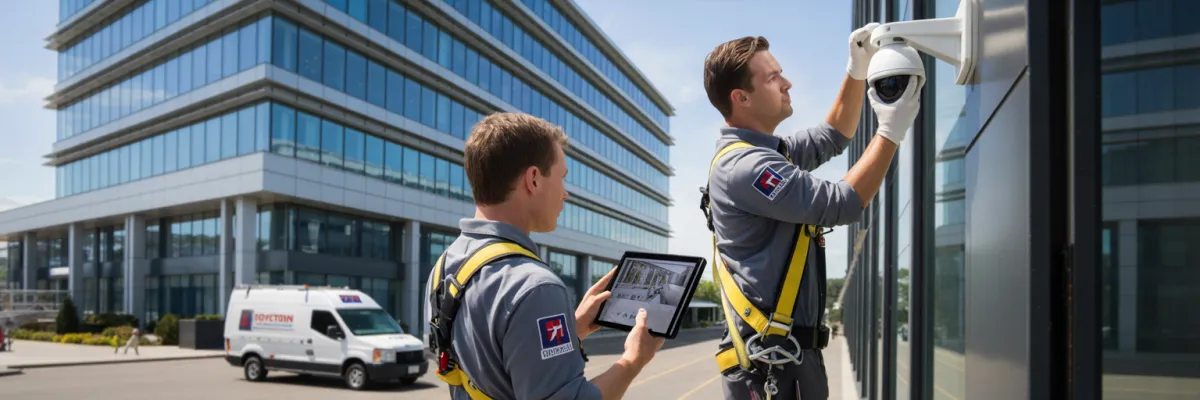
Professional Camera Installation for Business: Checklist 2026
You manage multiple office buildings, warehouses, and retail complexes—but your security footage is scattered across different systems, multiple vendors, and incompatible platforms. When a tenant reports a break-in or your insurance company requests evidence, you're juggling passwords, calling different contractors, and hoping the footage actually recorded. Sound familiar?
Professional camera installation for business isn't just about mounting cameras on walls. For property managers overseeing multiple commercial sites, it's about creating a unified security infrastructure that protects assets, satisfies tenants, reduces insurance premiums, and—most importantly—works seamlessly across your entire portfolio without constant management overhead.
This checklist cuts through the complexity. Whether you're upgrading security at a single business location or standardizing systems across numerous properties, you'll discover exactly what to evaluate, which compliance requirements matter, and how to avoid the costly mistakes that turn security investments into maintenance nightmares.
What Should I Look For in Professional Camera Installation?
Professional camera installation for business requires evaluating seven critical factors before signing any contract. Look for installers who provide:
Portfolio-scalable systems that work across multiple properties with centralized management
Weather-rated equipment (IP66+ rating) designed for subtropical humidity and storm exposure
4K minimum resolution with night vision capabilities for evidence-quality footage
Cybersecurity protocols including encrypted data transmission and secure cloud storage
Transparent pricing with no hidden cabling, configuration, or ongoing monitoring fees
Compliance expertise covering privacy laws, strata regulations, and council permits
Proven multi-property experience with case studies from similar commercial portfolios
Lifetime support guarantees including emergency response times and equipment warranties
The right installer transforms security from a compliance expense into a property value asset that attracts premium tenants, reduces insurance costs, and provides effortless oversight across your entire portfolio.

Professional Camera System Architecture: Planning for Growth
Centralized vs. Distributed Management Platforms
Here's what most property managers don't realize until it's too late: the management platform you choose matters more than the cameras themselves. I've seen portfolio managers spend significant money on top-tier 4K cameras across multiple properties, only to discover they need to log into separate apps, remember different passwords, and waste considerable time just to pull footage from a single incident.
Centralized management platforms give you a single dashboard for every property in your portfolio. One login. One interface. One monthly report showing security activity across all locations. When your tenant reports suspicious activity, you're not fumbling through apps—you're reviewing footage from your phone quickly.
Distributed systems might seem cheaper upfront, but they create operational chaos. Each property operates independently, which means different user interfaces requiring separate training for property managers, no way to compare security metrics between properties, and isolated storage systems making portfolio-wide audits nearly impossible.
For professional camera installation for business portfolios, centralized platforms aren't a luxury—they're the foundation that makes everything else work.
Cloud Storage vs. Local NVR: The Real Trade-offs
The cloud versus local storage debate isn't about technology preferences—it's about how you want to work and what risks you're willing to accept.
Cloud storage means your footage lives on secure servers maintained by your security provider. When floods or theft occur, your recordings are safe. Cloud systems typically offer automatic redundancy across multiple data centers, access from anywhere with internet connection, no equipment maintenance or replacement costs, and scalable storage that grows with your needs.
But cloud storage comes with ongoing monthly fees per camera and requires reliable internet at each property.
Local Network Video Recorders (NVRs) store everything on physical hard drives at each property. One-time hardware cost, no monthly fees, and footage stays completely under your control. The trade-off? You're responsible for hardware maintenance and eventual replacement, physical security of the recording equipment itself, and manual software updates and security patches.
Most multi-property managers I work with choose a hybrid approach: cloud storage for high-priority cameras (entrances, cash handling areas, common spaces) and local NVRs for lower-priority coverage (parking lots, perimeter areas). This balances monthly costs with redundancy where it matters most.
Scalability Requirements: Adding Properties Without Starting Over
The worst conversation I have with property managers goes like this: "We installed a great system at our first properties. Now we've expanded, and the original system can't scale. We need to rip everything out and start over."
True scalability means your security infrastructure grows with your portfolio seamlessly. Before you sign any contract, verify these capabilities:
User management across unlimited properties – Can you add new properties to your existing dashboard without upgrading plans or changing platforms?
Standardized equipment that works everywhere – If your installer uses proprietary cameras that only work with their specific platform, you're locked in forever
Flexible licensing that scales affordably – Watch for per-camera licensing fees that seem reasonable for a small number but become prohibitive as you expand
Geographic flexibility for expansion – Your security partner needs service coverage wherever you expand
Ask your installer this specific question: "If I acquire more properties in different areas with different property types, what exactly do I need to do—and what does it cost—to add them to this system?" The answer tells you everything about true scalability.
Equipment Specifications & Technical Requirements
Camera Resolution Standards: Why 4K Matters for Evidence
Property managers ask me all the time: "Do I really need 4K cameras, or is that overkill?" Here's my answer: if you're installing professional camera installation for business properties, 4K isn't about capturing cinematic footage—it's about reading license plates from distance, identifying faces in poorly-lit parking garages, and providing evidence that actually holds up when insurance companies demand proof.
4K resolution gives you four times the detail of standard HD. That means reading vehicle registration plates from across parking lots, identifying facial features even when people wear hats or hoodies, zooming into specific areas during playback without pixelation, and capturing usable evidence in low-light conditions.
Night Vision and Low-Light Performance Requirements
Business activity happens after dark—retail staff closing up, warehouse operations running night shifts, tenants accessing office buildings early morning during winter. Your cameras need to perform in complete darkness, not just daylight.
Infrared (IR) night vision is the baseline. These cameras use IR LEDs to illuminate scenes in darkness. The footage appears in black and white, but you'll capture clear details of movement, people, and vehicles.
Starlight/Color Night Vision cameras use larger sensors and advanced processing to capture color footage in near-darkness. They're incredible for identifying vehicle colors (critical for investigations), reading colored signage, and providing more natural footage.
Here's my recommendation for commercial properties:
Parking areas and perimeters: IR cameras are sufficient and cost-effective
Main entrances and loading docks: Starlight cameras justify the investment for better identification
Interior common areas: Standard cameras with good lighting control work fine
Cash handling or high-value areas: Starlight cameras provide best evidence quality
Weather Resistance Ratings for Your Climate
Your climate throws everything at outdoor cameras: high humidity, torrential downpours during storm season, scorching UV exposure, and occasional hailstorms. Your equipment needs to survive all of it without degradation.
IP (Ingress Protection) ratings tell you exactly how well cameras handle environmental exposure. For commercial properties, here's your minimum standards:
IP66 rating minimum for all outdoor cameras – Completely dust-tight and protected against powerful water jets from any direction
IP67 rating for cameras in exposed locations – Provides temporary immersion protection
IK10 impact rating for vandalism-prone areas – The camera can withstand significant impact
I've replaced hundreds of cameras over the years because property managers bought cheap equipment without proper ratings. The cameras worked fine initially, then suddenly the image quality degraded, moisture got inside the housing, or the lens fogged permanently.

Coverage Planning & Camera Placement Strategy
How Many Cameras Does Your Business Actually Need?
Every property manager wants the same thing: complete coverage without wasting money on unnecessary cameras. But "how many cameras do I need?" depends entirely on your property type, layout, and what you're actually trying to protect.
Here's the real-world formula I use for commercial properties:
Office buildings (per floor):
Camera covering main entrance/reception
Camera per emergency exit
Camera covering elevator lobby
Camera per stairwell (if accessible to public)
Additional cameras for server rooms, storage areas, and high-value spaces
Retail spaces:
Cameras covering front entrance (wide angle for crowd, tight angle for faces)
Camera per cash register/point of sale
Camera covering back entrance/loading area
Cameras providing floor coverage depending on square footage
Camera covering storage/stockroom entrance
Warehouse and industrial properties:
Cameras covering main vehicle entrance/gate
Camera per pedestrian entrance
Camera per loading dock
Perimeter cameras at regular intervals
Interior cameras covering high-value inventory areas
But here's what nobody tells you: camera count isn't the right metric. What matters is eliminating blind spots while maximizing coverage efficiency.
Strategic Placement: Chokepoints vs. Comprehensive Coverage
There's two philosophies for professional camera installation for business properties, and most installers won't explain the difference because they prefer selling more cameras.
Chokepoint coverage focuses on strategic locations where everyone has to pass through—main entrances and exits, stairwells and elevators, hallway intersections, gates and vehicle entrances.
This approach captures everyone who enters or exits but might miss what happens in between those points. For office buildings where tenant activity happens inside leased spaces, chokepoint coverage handles most security needs efficiently.
Comprehensive coverage attempts to monitor every area of your property. You're covering chokepoints plus parking lot coverage showing every parking space, perimeter cameras with overlapping fields of view, and interior common areas from multiple angles.
Comprehensive coverage eliminates blind spots but costs significantly more in equipment, storage, and ongoing management. It's justified for high-risk properties but overkill for most commercial real estate.
Here's my recommendation for property portfolios: Chokepoint coverage as your baseline, comprehensive coverage only where risk justifies investment.
Camera Coverage Guide by Property Type
Cybersecurity & Data Protection Requirements
Network Security: Preventing Unauthorized Access
Those security cameras protecting your properties? They're also potential entry points for hackers to access your entire network. Professional camera installation for business security requires proper cybersecurity from day one.
Default passwords are your biggest vulnerability. Every camera ships with generic default credentials. Professional installers change these immediately—budget installers leave them unchanged because it's faster. Within hours, automated bots will find your cameras and attempt default logins.
Minimum network security requirements for commercial camera systems:
Isolated network segments – Your camera system should operate on a completely separate network from your business operations
Encrypted data transmission – Every camera should use HTTPS/TLS encryption for video streams
Multi-factor authentication – Remote access to your camera system should require more than just a password
Regular firmware updates – Camera manufacturers release security patches constantly
Unique strong passwords for every camera – Not just different from default passwords—different from each other
Cloud Storage Security and Data Encryption Standards
If you're using cloud storage for your security footage, you're trusting a third party with potentially extensive sensitive recordings. That trust needs verification, not assumptions.
End-to-end encryption means your footage is encrypted before leaving your cameras, remains encrypted during transmission, and stays encrypted on cloud servers. Look for providers offering AES-256 encryption—the same standard banks use for financial transactions.
Data sovereignty and storage locations matter under privacy laws. Ask your cloud provider specifically where servers are physically located, who has physical access to those servers, and what jurisdiction governs data requests and legal access.
Backup and redundancy policies prevent total data loss if cloud providers have technical failures. Your footage should be replicated across multiple data centers and backed up with different retention policies for critical versus routine footage.

Making the Right Decision for Your Property Portfolio
You've made it through comprehensive coverage of every angle of professional camera installation for business. Now comes the actual decision.
Stop thinking about cameras as individual purchases. You're not buying specific numbers of cameras for buildings. You're building security infrastructure that needs to function as an integrated system while your portfolio grows, technology evolves, and tenant expectations increase.
The property manager focused on "price per camera" ends up with the cheapest equipment installed by the lowest bidder. Years later, they're managing incompatible systems across properties, dealing with failed equipment, and discovering their "bargain" installation can't scale or integrate with anything.
The property manager focused on "total system capability over lifecycle" spends more upfront but years later they're adding properties seamlessly to existing infrastructure, experiencing minimal failures, and leveraging their security investment for insurance savings and tenant retention.
You're not buying cameras. You're building security infrastructure that protects assets, attracts tenants, reduces insurance costs, and adds property value across your entire portfolio.
The professional installers worth hiring understand this difference. The equipment they recommend, the systems they design, and the service they provide reflect long-term value creation, not short-term profit maximization.
Your properties deserve security infrastructure built to professional standards by qualified installers who'll support your portfolio for years. Anything less isn't a bargain—it's a liability disguised as savings.
The checklist is complete. The decision is yours. Choose wisely, implement professionally, and manage actively. Your portfolio's security—and your peace of mind—depends on it.

