
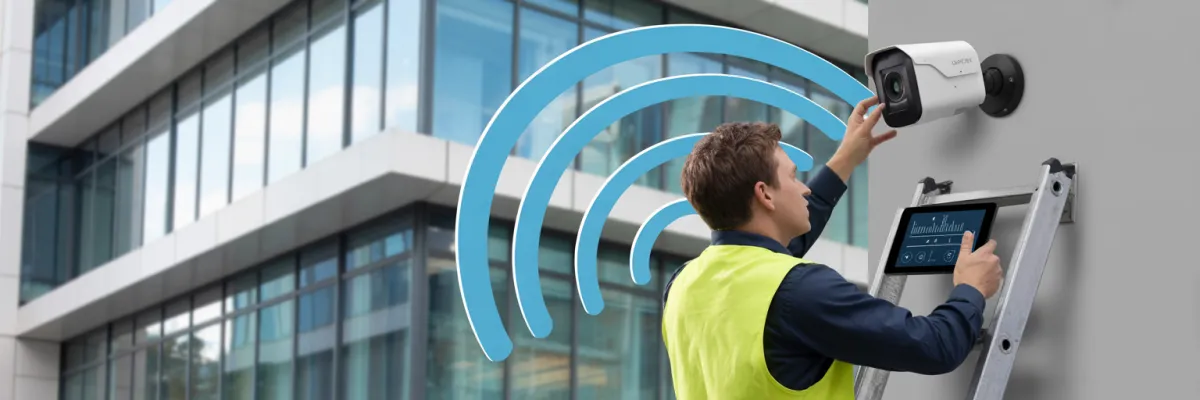
Commercial Wireless Camera Installation: Complete 2026 Guide
Managing security across multiple commercial properties shouldn't mean juggling five different camera systems, three monitoring platforms, and endless maintenance callouts. Yet 73% of property portfolio managers report using inconsistent security infrastructure across their properties—creating blind spots, inflated costs, and tenant complaints that impact lease renewals.
Here's what I see happening constantly: A property manager acquires a new retail space, inherits whatever camera system the previous owner installed, then spends the next six months trying to figure out how to access footage when a tenant reports vandalism. Meanwhile, their office building runs on a completely different system, and the warehouse? That's using cameras from a third manufacturer that nobody can even remember the login for.
Commercial wireless camera installation has revolutionized how property investors and managers protect their portfolios. Unlike traditional wired systems that require extensive cabling and property-specific configurations, modern wireless solutions offer scalable, centralized monitoring across office buildings, retail spaces, warehouses, and mixed-use developments.
You'll discover how wireless commercial camera systems work, compare leading technologies suitable for different property types, learn portfolio-wide implementation strategies, and identify the decision factors for choosing between wireless and wired solutions.
What is Commercial Wireless Camera Installation?
Commercial wireless camera installation is the process of deploying IP-based security cameras that transmit video footage over WiFi or cellular networks rather than physical cables. Unlike traditional wired systems, wireless commercial cameras connect to your network infrastructure wirelessly, eliminating extensive cabling requirements while maintaining professional-grade surveillance capabilities.
Key components include:
Wireless IP cameras with built-in WiFi or 4G/5G connectivity
Network video recorders (NVR) or cloud storage solutions
Power sources (PoE, battery, or solar options)
Management software for monitoring and playback
Network infrastructure (routers, access points, bandwidth)
Primary advantages for commercial properties:
Faster installation with minimal property disruption
Scalable across multiple locations
Flexible camera repositioning without rewiring
Centralized monitoring from any device
Lower upfront installation costs compared to hardwired systems

How Commercial Wireless Camera Systems Work
Understanding the technical foundation of wireless camera systems helps property managers make informed decisions about equipment specifications, network requirements, and realistic performance expectations across different commercial environments.
Wireless Transmission Technologies Explained
Commercial wireless cameras transmit video data using three primary technologies, each with distinct advantages for different property scenarios.
Network Requirements for Commercial Properties
Wireless doesn't mean wireless everything—your property's network infrastructure determines system performance and reliability.
Each 1080p camera streaming continuously consumes approximately 2-4 Mbps upload bandwidth. A 10-camera system requires dedicated bandwidth—separate from tenant internet usage. For portfolio-wide deployments, network capacity assessment across all properties identifies potential bottlenecks before installation.
Think about this practically: If you've got a retail space with ten cameras and tenants running e-commerce operations, their shipping software and your cameras are competing for the same upload bandwidth during business hours. Quality of Service settings become non-negotiable, not optional.
Network Hardware Considerations:
Commercial-grade WiFi access points: Consumer routers cannot handle multiple camera connections reliably
PoE network switches: Power-over-Ethernet switches enable "wireless" cameras to receive power via single ethernet cable while transmitting wirelessly
Managed switches with QoS: Quality of Service settings prioritize camera traffic over other network activity
Redundant internet connections: Critical for properties requiring 24/7 monitoring reliability
Commercial camera systems require dedicated VLANs (Virtual Local Area Networks) isolating camera traffic from tenant networks, preventing security vulnerabilities and bandwidth conflicts. Without proper VLAN setup, you're basically giving anyone on the tenant network a potential pathway to your camera feeds.
Power Options for Wireless Cameras
Despite wireless video transmission, cameras still require power—understanding options prevents installation surprises.
Power-over-Ethernet (PoE): The most reliable solution for commercial installations, PoE delivers both power and network connectivity through a single cable. While cameras transmit video wirelessly, the ethernet cable provides backup wired transmission during WiFi interference and eliminates battery maintenance. Yeah, this confuses people constantly. "Wireless" cameras often still have one cable running to them—but it's way simpler than running separate power and data cables.
Battery-Powered Systems: Suitable for temporary installations or locations without power access, but commercial applications face significant limitations. Professional-grade cameras with continuous recording deplete batteries quickly, creating unsustainable maintenance overhead for multi-property portfolios.
Solar-Powered Solutions: Increasingly viable for warm climates, solar-powered cameras work well for perimeter monitoring, parking lots, and industrial yards. However, storm seasons require robust mounting and backup power capacity for extended cloudy periods.
Hardwired AC Power: Traditional electrical outlets provide reliable power but require licensed electrician installation, adding cost comparable to fully wired camera systems.
Data Storage: Cloud vs. Local NVR
Video storage decisions impact ongoing costs, data security, and footage accessibility across your portfolio.
Cloud Storage Solutions: Monthly subscription models provide off-site redundancy, remote access from anywhere, and automatic software updates. For portfolio managers overseeing multiple properties, cloud platforms offer centralized dashboards displaying all locations simultaneously. However, multi-year costs exceed local storage, and internet outages prevent footage access.
Local Network Video Recorders (NVR): On-premise NVR systems store footage locally within each property. Higher upfront investment but no ongoing subscription fees. Portfolio deployments require individual NVR management at each location unless integrated into centralized management software.
Hybrid Approaches: Many property managers implement local NVR for primary storage with cloud backup of critical cameras or motion-triggered events, balancing cost control with off-site redundancy.
Types of Wireless Commercial Camera Systems
Selecting the appropriate wireless camera technology for your commercial properties depends on existing infrastructure, property type, tenant requirements, and portfolio standardization goals.
WiFi-Based Camera Systems
WiFi cameras represent the most common wireless solution for commercial properties with established network infrastructure.
Ideal Applications:
Office buildings with enterprise-grade WiFi already deployed
Retail spaces requiring customer traffic analytics
Medical centers and professional suites with IT support
Mixed-use developments with centralized network management
Modern commercial WiFi cameras support dual-band connectivity (2.4GHz/5GHz), with 5GHz providing superior performance in crowded network environments. Commercial district properties benefit from 5GHz operation, avoiding interference from neighboring businesses' WiFi networks.
WiFi systems excel when standardizing across similar property types with comparable network infrastructure. However, retail spaces, office buildings, and industrial properties often require different access point densities, complicating portfolio-wide implementation.
Cellular (4G/5G) Camera Systems
Cellular cameras eliminate WiFi dependency, connecting directly to mobile networks—ideal for properties with unreliable internet or remote locations.
Ideal Applications:
Industrial warehouses in outer suburban areas
Construction sites and temporary installations
Parking lots and external perimeter monitoring
Properties undergoing network infrastructure upgrades
Backup systems for critical monitoring locations
A single 1080p camera recording continuously consumes substantial monthly data. Portfolio managers deploying multiple cellular cameras face ongoing data costs depending on carrier plans. Motion-activated recording dramatically reduces consumption but creates coverage gaps.
Cellular systems provide deployment flexibility across diverse property types without network standardization requirements. However, carrier coverage varies significantly, requiring site-specific signal testing before equipment purchase.

Hybrid Wireless-Wired Solutions
Sophisticated deployments combine wireless flexibility with wired reliability, optimizing performance while controlling costs.
Configuration 1: Wireless Cameras with Wired Backbone - Cameras transmit wirelessly to strategically placed wired access points or receivers. Provides wireless installation flexibility while maintaining wired network reliability.
Configuration 2: Primary Wired + Supplementary Wireless - Critical areas (cash handling, entry points, server rooms) use wired cameras for maximum reliability, while lower-priority locations deploy wireless cameras.
Configuration 3: Wired with Cellular Backup - Primary WiFi transmission with automatic cellular failover during network outages. Premium solution for properties requiring guaranteed 24/7 coverage regardless of internet reliability.
Property managers overseeing diverse portfolios often standardize on hybrid approaches, deploying configuration types based on property classification rather than forcing single technology across all locations.
Which System Type Fits Your Property Portfolio?
Choose WiFi-Based Systems When:
Properties have robust existing network infrastructure
Deploying multiple cameras per location
Standardizing across similar property types
IT support available for network management
Long-term cost minimization prioritized over flexibility
Choose Cellular Systems When:
Properties lack reliable internet connectivity
Quick deployment required without infrastructure upgrades
Remote or temporary monitoring locations
Backup systems for critical cameras
Choose Hybrid Solutions When:
Managing diverse property portfolio requiring flexibility
Balancing performance requirements with budget constraints
Properties transitioning between tenants with different needs
Critical areas require maximum reliability with lower-priority coverage needs
Most successful multi-property deployments standardize on WiFi systems for primary properties while maintaining cellular camera inventory for special circumstances, temporary installations, and properties awaiting infrastructure upgrades.
Installation Process: What to Expect
Professional wireless camera installation follows systematic processes ensuring optimal coverage, regulatory compliance, and long-term reliability.
Pre-Installation Site Assessment
Thorough site assessment prevents costly post-installation modifications and ensures equipment specifications match property requirements.
Professional installers evaluate coverage requirements, identifying critical monitoring zones, blind spot vulnerabilities, and optimal camera placement locations. For retail properties, assessment includes customer flow patterns and theft-prone areas. Office buildings require entry point coverage, common area monitoring, and parking facility surveillance. Industrial warehouses focus on loading docks, equipment storage, and perimeter security.
Technicians test existing WiFi signal strength throughout the property, identify interference sources, measure available bandwidth, and assess switch capacity for additional PoE devices. Commercial district properties often face significant WiFi congestion from neighboring businesses.
Climate demands specific attention to camera mounting locations. Direct afternoon sun exposure causes lens glare and accelerates weatherproofing degradation. Areas exposed to storm-driven rain require properly rated enclosures. Coastal properties need corrosion-resistant mounting hardware.
Camera Placement Strategy for Commercial Properties
Strategic camera positioning maximizes coverage while minimizing camera count and associated costs.
Coverage Priority Methodology:
Tier 1 - Critical Coverage: All entry and exit points, cash handling areas, high-value inventory storage, server rooms and critical infrastructure, parking facilities
Tier 2 - Important Coverage: Common areas and corridors, parking lot general coverage, perimeter fencing and boundaries, equipment yards and external storage, reception and waiting areas
Tier 3 - Supplementary Coverage: Low-traffic internal areas, secondary corridors and hallways, landscaped areas and gardens, remote building exteriors
Property-Type Specific Strategies:
Office Buildings: Position cameras at elevator lobbies capturing all floor access, stairwell entry points on each level, main reception and visitor management areas, and underground parking entries.
Retail Spaces: Focus coverage on point-of-sale terminals, merchandise displays with high-theft items, fitting rooms (entrance monitoring only—never inside), stock rooms and receiving areas, and customer entry/exit points.
Industrial Warehouses: Prioritize loading dock coverage capturing incoming/outgoing shipments, high-value equipment and inventory zones, vehicle movement throughout facility, perimeter access points, and employee entry areas.
Mixed-Use Developments: Coordinate coverage across multiple tenancy types, ensuring common area monitoring, separate footage access for different tenants, property manager oversight of entire building, and privacy compliance for residential components.
Mount cameras at appropriate height for facial recognition capability. Position cameras at optimal downward angle maximizing coverage while minimizing ceiling glare. Avoid backlit positioning—intense afternoon sun creates identification challenges without proper positioning.
Critical areas benefit from overlapping camera coverage—if one camera fails or is obscured, backup camera maintains monitoring. Entry points typically receive dual camera coverage from different angles, eliminating blind spots.
Post-Installation Testing and Handover
Comprehensive testing confirms system reliability before installer departure—identifying issues during handover prevents future service call costs.
Verify all cameras transmitting video to NVR/cloud platform, confirm recording schedules operating correctly, test motion detection zones and alert notifications, validate remote access from mobile devices and computers, and check night vision and low-light performance.
Walk through property reviewing camera footage confirming all critical areas monitored without blind spots. Test camera angles capturing usable identification footage at key entry points. Verify no privacy violations.
Property managers receive hands-on training covering daily system operation, footage review and export procedures, remote access from mobile devices, basic troubleshooting techniques, and emergency support contact procedures.

Wireless vs. Wired: Making the Right Choice
The wireless versus wired decision significantly impacts installation costs, long-term reliability, and system scalability across your property portfolio. Understanding each technology's genuine advantages and limitations enables evidence-based decisions matching technical capabilities to operational requirements.
Making Your Commercial Wireless Camera Installation Decision
Commercial wireless camera installation represents significant infrastructure investment for property portfolios, but the right system delivers measurable returns through reduced insurance premiums, decreased security incidents, streamlined property management, and enhanced tenant satisfaction.
The wireless versus wired decision, equipment selection, and implementation strategy require careful analysis of your specific portfolio characteristics. Properties with robust network infrastructure benefit from wireless systems' lower installation costs and deployment flexibility. High-security applications and critical infrastructure monitoring justify wired systems' superior reliability. Most sophisticated portfolios implement hybrid approaches matching technology to property classification and risk profiles.
Working with installers demonstrating expertise prevents costly mistakes and ensures systems optimized for unique environmental and regulatory landscapes. Whether you're securing a single property or standardizing security across an entire portfolio, professional guidance tailored to your specific requirements delivers optimal outcomes. The investment in proper planning, quality equipment, and expert installation pays dividends through reliable operation and peace of mind knowing your properties remain protected.

