
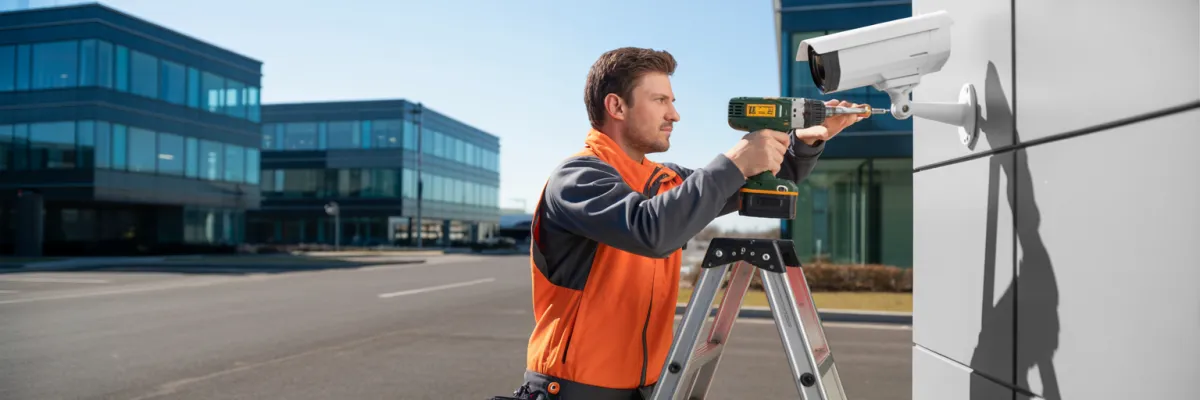
Commercial Bullet Camera Installation: Setup Checklist
You know that moment when you're watching footage of last night's break-in attempt and realize the camera angle missed the most important part? Yeah, we've seen that happen more times than we'd like to admit. And if you're managing multiple commercial properties, getting your bullet camera installation right the first time isn't just about ticking boxes - it's about protecting your entire portfolio without having to redo half the work down the track.
Here's the thing about commercial bullet camera installation that most property managers figure out the hard way: the actual cameras are maybe 40% of what makes a system work properly. The other 60%? That's all the planning, positioning, and integration work that happens before anyone picks up a drill. Skipping steps in your setup process always costs more in the long run - whether that's in equipment failures, coverage gaps, or tenant complaints about blind spots.
This checklist walks you through everything you need to get your commercial bullet camera installation done right. Not the theoretical "perfect world" version you see in manufacturer brochures, but the real-world version that accounts for weather, compliance requirements, and the actual challenges of protecting commercial properties.
Why Bullet Cameras Work for Commercial Properties
We get asked all the time why we recommend bullet cameras for most commercial installations. These things are built like tanks, they're obvious enough that people know they're being watched, and they handle climate conditions way better than dome cameras that fog up in humidity.
The visibility factor alone makes bullet cameras worth it. When you've got a retail tenancy or office building, you want potential troublemakers to see the cameras and think twice. That visible deterrent effect does security work before anything actually happens. Property managers tell us their graffiti problems dropped off significantly just from installing visible bullet cameras - no actual incidents needed to be caught, people just moved on to easier targets.
What makes bullet cameras good for property portfolios:
Weather resistance - Properly rated bullet cameras handle humidity and storms better than cheaper alternatives
Long-range coverage - Monitor large car parks and building perimeters without excessive camera counts
Easy maintenance - No unscrewing housing covers and fiddling with tiny components
Mounting flexibility - Wall, ceiling, or pole mount options work where dome cameras won't
Night vision performance - Longer housing fits better infrared illuminators for clearer after-dark footage
One property investor managing multiple office buildings switched his entire portfolio to standardized bullet camera systems because his maintenance team could service any property without needing different tools or procedures. That standardization saved massive coordination time and provided volume pricing benefits.

Pre-Installation Planning
This is where most commercial installations either set themselves up for success or create problems they'll be dealing with for years. Property managers who skip this step end up calling us saying "the cameras don't cover where we actually need them" or "our tenants are complaining about privacy issues we didn't anticipate."
Property Assessment and Coverage Mapping
Walk every property where you're installing cameras. Actually stand in different spots, look at sight lines, think about where problems happen or could happen.
Pay attention to entry and exit points first - main doors, fire exits, loading docks, car park entries. You need clear facial identification at entries, not just "someone walked in" footage that doesn't help identify anyone. Loading docks and service areas are where stock goes missing and delivery disputes happen.
Car parks need to balance vehicle coverage (number plates) with pedestrian coverage (people walking to and from cars). Most commercial car parks need cameras positioned to catch plates at entry/exit points, plus separate cameras covering parking areas and walkways.
Understanding Your Tenant Requirements
Different tenants have different expectations. Retail tenants want customer-facing areas covered but not change rooms or back offices. Office tenants are fine with cameras in common areas but sensitive about anything pointing at their office spaces. Industrial tenants usually accept extensive coverage because of stock management needs but want to know who accesses footage.
Environmental Considerations
Humidity and condensation kills cameras and creates foggy footage. Camera housings not rated for high humidity will develop condensation inside the lens. We see this most in covered car parks where air circulation is poor.
Storm and wind exposure - Cameras on building exteriors need mounting hardware that handles storm winds. Standard mounting brackets aren't enough - cameras literally get torn off walls during severe weather.
Direct sun exposure - Western-facing cameras cop intense afternoon sun that washes out footage and shortens equipment lifespan. You need cameras with good WDR (wide dynamic range) capabilities or positioning that minimizes direct sun.
Bird nesting catches people out too. Camera positioning needs to avoid creating attractive nesting spots that block coverage.
Equipment Selection and Specifications
Here's where property managers either save themselves money or waste it. When you're outfitting commercial properties - especially multiple properties - your equipment choices affect your expenses and headaches for years.
Choosing the Right Bullet Cameras
You don't need 4K cameras everywhere - that's overkill for most applications and creates massive storage requirements. What you actually need is enough resolution to identify faces at critical points and capture number plates at entries.
For most commercial applications, 2MP to 4MP cameras hit the sweet spot. That gives clear facial identification up to about 6-8 meters away, covering most doorways and common spaces.
Night vision capability is way more important than most people realize. Cameras need proper infrared illumination. Look for IR ranges that match your coverage distances - a camera with 15-meter IR range won't show you anything useful when covering a 20-meter loading dock.
Varifocal vs fixed lens depends on your installation flexibility. Fixed lens cameras are cheaper but you're locked into that field of view. Varifocal lenses let you adjust zoom and focus after installation when coverage isn't quite right.
Weather rating is non-negotiable. IP66 rating minimum for outdoor cameras, IP67 for really exposed locations. Don't let anyone tell you IP65 is "probably fine."
WDR (wide dynamic range) matters when cameras cover areas with mixed lighting - doorways with bright outdoor light creating backlighting issues, or car parks where headlights create glare. Without decent WDR, half your image is washed out or too dark.
Storage and Recording Systems
Storage often exceeds camera expense when covering multiple properties with dozens of cameras. Most commercial installations need at least 30 days retention, some industries need 90 days. Calculate storage based on camera count, resolution, frame rate, and retention period. Then add 20% because you'll keep footage longer when incidents are under investigation.
Network Infrastructure Requirements
Commercial bullet cameras are network devices needing proper infrastructure. Power over Ethernet (PoE) switches power and connect your cameras. Each camera needs one PoE port, and switches need enough power budget to run all cameras plus headroom.
Cat6 cabling is minimum standard now. PoE has about 100-meter maximum cable run distance before needing additional hardware. For large properties or cameras far from network equipment rooms, plan for this during installation.
Centralized Management for Multi-Property Portfolios
Managing more than two or three properties? Having separate systems at each location creates operational nightmares. You want centralized platform access to any camera at any property from one interface.
VMS (Video Management Software) platforms supporting multi-site management let you organize cameras by property, set user permissions, and run portfolio reports. Mobile access isn't optional anymore - property managers need camera access from wherever they are, not just office desktops.

Installation Process Checklist
Pre-Installation Site Preparation
Before anyone shows up with ladders and cameras, make sure the site is actually ready.
Notify your tenants properly - more than just an email the day before. Give tenants adequate notice about installation dates, expected disruption times, and affected areas. Access arrangements for multi-tenancy buildings get complicated. Your installation team needs building access, roof access, ceiling spaces for cable runs, and individual tenancy access if needed. Organize keys, swipe cards, or escort arrangements before installation day.
Mounting and Positioning Steps
Camera mounting requires different hardware for different surfaces. Brick and concrete walls need masonry anchors and proper pilot holes. Metal cladding or corrugated walls on industrial buildings need backing plates to prevent flexing.
Mounting height affects both coverage and tampering risk. Too low and cameras are accessible to anyone with bad intentions. Too high and you lose facial identification capability. Most commercial cameras want that 2.8 to 3.5 meter range where they're hard to reach but not shooting from steep angles that make identification difficult.
Camera angle and field of view reveals if your pre-installation planning was any good. Varifocal lenses save grief - you can fine-tune coverage after mounting instead of repositioning entire cameras.
Cable Running and Management
Proper cabling work saves endless troubleshooting and replacement expenses. Cable routing through commercial buildings needs to follow existing cable paths - ceiling spaces, cable trays, conduit systems. Cable protection matters more in commercial properties. Exposed cables in car parks, loading docks, or industrial areas need physical protection from vehicles and equipment.
Cable labeling saves hours of troubleshooting. Label both ends of every cable run with camera location identifiers matching your system documentation.
Power and Network Connection
PoE switch installation location affects entire system reliability. Switches need secured, climate-controlled spaces with reliable power and connectivity. Network switch configuration isn't just plug and play. VLANs to separate camera traffic, QoS settings to prioritize camera data, and proper port configuration all need setting up.
Recording System Setup
NVR installation and configuration is where recording parameters get locked in. Recording quality settings, frame rates, retention schedules, and motion detection zones all get configured during initial setup. Document everything because you'll need these settings later.
Remote access setup lets property managers view cameras from outside the property. Security settings for remote access matter hugely - weak passwords and default credentials are how camera systems get compromised.
Ongoing Maintenance and System Management
Property managers who treat CCTV as "install and forget" end up calling us complaining that half their cameras don't work and they missed recording a major incident because nobody noticed the storage was full.
Regular Maintenance Schedule
Monthly visual inspections catch problems before they become failures. Walk past every camera and look for obvious issues - lenses covered in dirt or spider webs, mounting brackets that've worked loose, condensation inside housings. Camera cleaning every quarter keeps image quality usable. Environmental conditions dump dust, pollen, bird droppings, and general grime on outdoor cameras constantly.
Cable and connection checks involve looking for damaged cables, loose connections, or signs of water ingress at connection points. Night vision testing after dark verifies that IR illumination is still working properly. Infrared LEDs gradually degrade and lose brightness over time.
Storage and Recording Maintenance
Storage capacity monitoring prevents that situation where your NVR stops recording because it ran out of space and nobody noticed. Set up alerts for when storage reaches 80% capacity. Recording verification spot checks mean randomly pulling up footage from different cameras and time periods to verify recordings are actually happening.
Software and Firmware Updates
Camera firmware updates fix security vulnerabilities and sometimes improve performance. Check manufacturer websites quarterly for firmware updates, review release notes, and test updates on one or two cameras before rolling out to entire systems. Security patching can't be ignored just because updates are inconvenient. CCTV systems are network-connected devices that get targeted by hackers.
Troubleshooting Common Issues
Camera systems break. Network connections drop. Storage fills up. The difference between manageable problems and expensive disasters is knowing how to diagnose issues quickly.
Camera Connectivity Problems
Cameras offline or not appearing is the most common issue. First check the obvious - is the camera getting power? Can you see link lights on the network port? Network cable issues cause more camera failures than faulty cameras do. Check for damaged cables - particularly in car parks where vehicles might've hit exposed cables.
PoE power budget problems happen when you've added cameras to a switch that's now exceeding its power capacity. Check your switch specifications against total camera power requirements.
Image Quality Issues
Blurry or out-of-focus footage usually means someone knocked the camera or the varifocal lens drifted out of adjustment. Access the camera's web interface and refocus the lens. Washed out or overexposed footage during certain times indicates backlight or direct sun problems. Enable WDR or backlight compensation in camera settings if available.
Dark or underexposed night vision means IR illumination isn't working properly. Check that IR LEDs are actually illuminating. Foggy or hazy image quality indicates condensation inside the camera housing. The camera needs opening, drying out thoroughly, and sealing properly.
Recording and Storage Problems
Recordings stopping randomly usually indicates storage problems. Check available storage space on your NVR. Missing footage for specific time periods despite cameras being online suggests recording settings issues. Check that recording schedules cover the missing time periods.
Motion Detection False Alarms
Constant false alerts from environmental triggers like tree branches need motion detection zones adjusted. Access camera settings and mask out areas where movement doesn't matter. Lighting changes causing false triggers happens when automatic lighting switches on/off. Adjust motion sensitivity lower or switch to continuous recording in areas where lighting changes frequently.

Getting Your Installation Right From the Start
Every property manager we work with wishes they'd known this stuff before their first camera installation. The expensive lessons about what matters and what doesn't are things you don't want to learn through trial and error across your portfolio.
The difference between camera systems that work reliably and systems that become ongoing headaches comes down to what happened during planning and installation. Get the positioning right, spec appropriate equipment for your conditions, document everything properly, and set up maintenance routines that actually happen.
Your tenants care about feeling safe in your properties, having evidence when disputes arise, and knowing you're maintaining professional security standards. Your job is making sure the camera system delivers on those expectations without creating constant management overhead.
This checklist gives you the practical framework for installations that actually work. Use it to avoid the mistakes that cost other property managers time and money, and to build security infrastructure that genuinely protects your portfolio without becoming another management headache.

